StudySim / Comparisons / Anki
Anki alternative: StudySim vs Anki, compared honestly
If you want an Anki alternative, start with Anki's job: it is a flashcard program that schedules each card so you spend more time on what you are about to forget. The computer version is free for Windows, macOS and Linux, AnkiWeb sync is free, AnkiDroid is the Android app, and AnkiMobile is a $24.99 one-time iOS purchase. You rate each card Again, Hard, Good or Easy, with optional FSRS or the legacy SM-2 scheduler. StudySim vs Anki is a different split: StudySim generates eight flashcards or a five-question quiz from your notes or a supported PDF in the browser, then you flip cards yourself. It does not list a per-card scheduler. For how those review intervals work, read spaced repetition. For Anki next to Quizlet's study modes, see Anki vs Quizlet. We also compare StudySim with Quizlet. For a narrated walkthrough of one topic, open a narrated lesson.
Make flashcards from your notes
Try free study, writing and research tools without signing up. Go Pro to build study sets from a whole course.
Last verified Nov 10, 2026
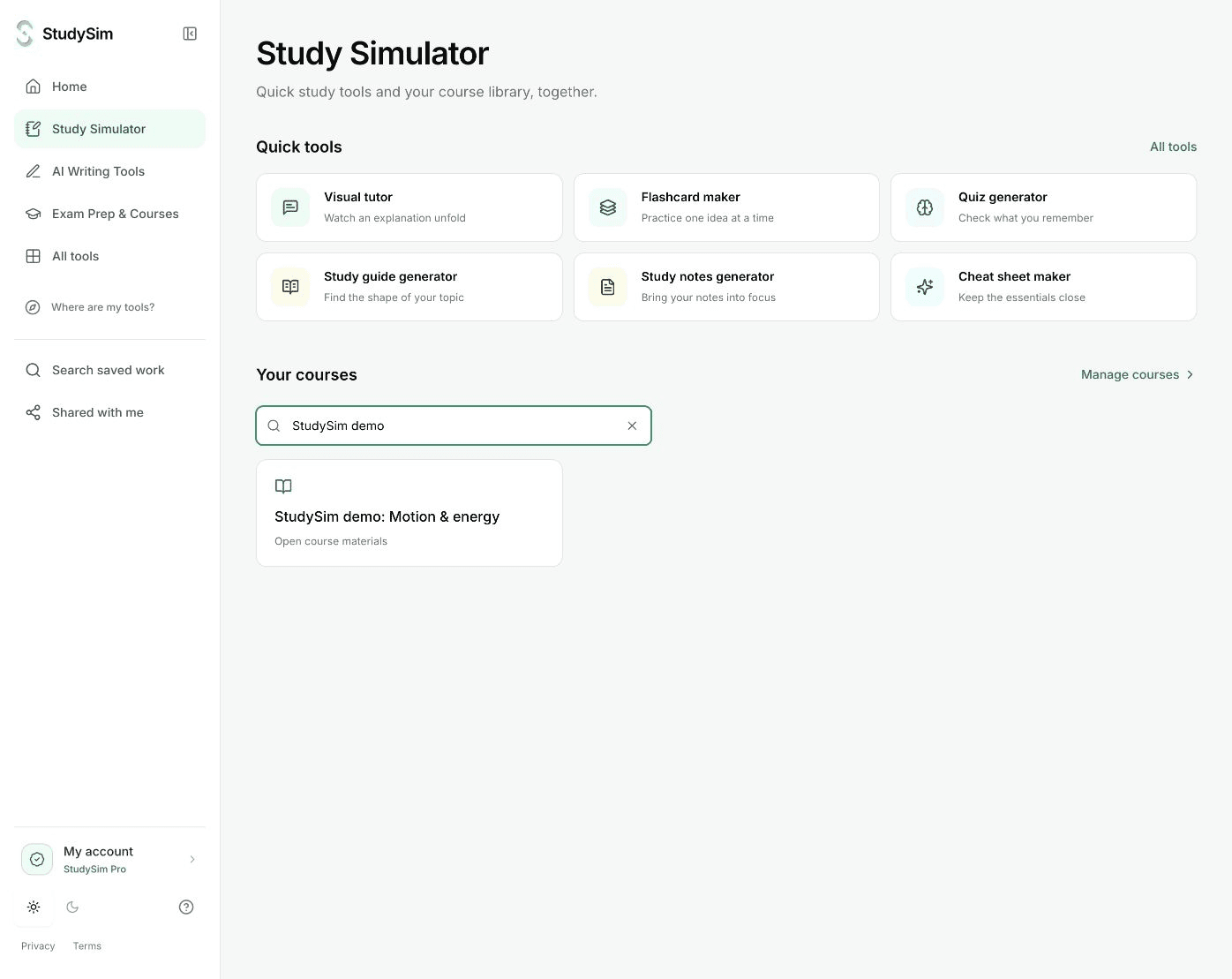
Feature comparison
| Feature | StudySim | Anki |
|---|---|---|
| What it is | An AI study workspace at studysim.ai that turns your notes, PDFs and slides into flashcards, quizzes, study guides and podcasts | A flashcard program that shows challenging cards more often and easy cards less often, with sync across devices[1] |
| Free plan | Try free AI tools without signing up: 1 run while signed out, and 3 runs each calendar month with a free account. Word counter and calculators are always free. Sign in to save. | Free on desktop (Windows, macOS, Linux) and via AnkiWeb. AnkiDroid is the Android app. You make or import cards yourself.[1] |
| Paid plan (US) | StudySim Pro: $1 for the first 3 days, then $20/month or $120/year unless you cancel. USD. A card is required. Cancel from your account. | AnkiMobile, the official iOS app, is a $24.99 one-time purchase. Sync with AnkiWeb is included, with no subscription listed on that App Store page.[9] |
| Supported inputs | Paste notes, or upload a PDF, Word, PowerPoint, text or Markdown file in the free flashcard and quiz makers (up to 3 MB). Courses also take audio, video and public YouTube links, up to 50 MB per file and 15 sources. | Type cards in Anki, import delimited text files, or download shared decks. Official pages do not list AI cards from a PDF in the core app.[6] |
| Flashcards | The free tool makes eight question-and-answer cards with flip/reveal review. Pro Notecards let you choose a card count. | Question-and-answer cards you add or import. Cloze deletion and image occlusion are built-in note types. Audio, images, video and scientific markup are supported.[5] |
| Spaced repetition | Not listed | Rate each card Again, Hard, Good or Easy. Each button shows the next review time. Optional FSRS, or the legacy SM-2 algorithm.[3] |
| Quizzes / practice tests | The free quiz generator makes a five-question practice quiz with answers and explanations. Pro course quizzes support multiple-choice, short-answer and long-answer, with length, difficulty and timing settings. | Not listed as a separate quiz product. Review happens card by card.[3] |
| Study guides | A study guide tool in the Pro course workspace, generated from the sources you add to a course | Not listed[1] |
| Platforms | On the web at studysim.ai | Desktop on Windows, macOS and Linux; AnkiWeb in a browser; AnkiDroid on Android; AnkiMobile on iPhone and iPad[2] |
| Syncing / offline | Not listed | Free AnkiWeb sync across devices. Desktop, AnkiDroid and AnkiMobile keep the collection on the device, so you can study without a network after syncing.[8] |
| Shared library / shared decks | Not listed | Download shared decks from AnkiWeb (Get Shared in the desktop app). Import on desktop, AnkiMobile or AnkiDroid, then sync. Anki can handle decks of 100,000+ cards.[1] |
| Export | Copy or print a generated deck. The PDF-to-flashcards and AI flashcard maker pages do not offer an Anki export. | Export notes as tab-separated text, or as a packaged .apkg deck / .colpkg collection, including media if you choose.[7] |
Verified Nov 10, 2026
When Anki is the better pick
- You need a per-card spaced repetition scheduler with visible intervals, especially for months-or-years retention in med school or languages. StudySim flashcard pages describe flip/reveal review, not Again/Hard/Good/Easy scheduling.
- You want cloze deletion, image occlusion, audio or video on cards, add-ons, or very large shared decks. Anki documents those; StudySim does not list them.
- You want free desktop, Android and AnkiWeb, and you are willing to make or import cards yourself. StudySim's free tools generate a small complete deck from your file instead.
- You want a one-time iOS purchase rather than a subscription. AnkiMobile is $24.99 once on the App Store, with free AnkiWeb sync. StudySim Pro is $1 for 3 days, then $20/month or $120/year unless you cancel.
When StudySim fits
- You would rather generate eight flashcards or a five-question quiz from a page of notes or a PDF than write or import every card by hand, and you can try that without signing up.
- You want a published price for a course workspace: Pro is $1 for 3 days, then $20/month or $120/year, and it includes study guides, Notecards, quizzes and two-speaker podcasts from the same sources.
- You are studying for one class or exam and want a short complete result in the browser, not a 100,000-card collection with add-ons.
- You do not need Anki-style scheduling, cloze deletion, image occlusion or an .apkg export. The StudySim flashcard pages do not offer those.
About StudySim
StudySim is an AI study workspace for students. You create a course for a class, unit or exam, add your course sources, and generate study guides, flashcards (called Notecards), practice quizzes and two-speaker podcasts from them.
| Detail | Information |
|---|---|
| Study tools | Study guides, Notecards (flashcards), quizzes and two-speaker podcasts[source] |
| Free flashcards | Eight question-and-answer cards from notes or a supported PDF; copy or print; sign in to save. No Anki export on that page.[source] |
| Free quizzes | A five-question practice quiz from notes or a PDF, with answers and explanations. 1 run without an account; 3 runs each calendar month with an account.[source] |
| Supported sources | Upload PDF, DOCX, TXT, Markdown, PowerPoint, audio and video files or public YouTube links[source] |
| Limits | Up to 15 sources per course, 50 MB per file, 50 runs a day across all tools, resets at midnight UTC on Pro[source] |
| Free option | Try free AI tools without signing up. 1 run while signed out; 3 runs each calendar month with a free account. Word counter and calculators are always free. Sign in to save.[source] |
| Pricing | StudySim Pro costs $1 for the first 3 days, then $20/month or $120/year. A credit card is required, and you can cancel from your account at any time.[source] |
| Review style | Flashcard pages describe flip/reveal review. They do not list a per-card spaced repetition scheduler, a native mobile app, games, or a shared-deck library.[source] |
Pricing verified against the live pricing page on Nov 10, 2026
Explore StudySim
A few useful details
Anki vs StudySim FAQ
Is StudySim an Anki alternative?
It can be if you want cards generated from your notes instead of writing them. It is not a replacement for Anki's per-card scheduler, cloze deletion, image occlusion, add-ons or shared decks. Use Anki when those are the point of the tool.
Is Anki free?
The computer version is free for Windows, macOS and Linux, AnkiWeb sync is free, and AnkiDroid is the Android app. AnkiMobile, the official iOS app, is a $24.99 one-time purchase on the US App Store.
Does StudySim have spaced repetition like Anki?
No. StudySim flashcard pages describe flip/reveal review, not Again/Hard/Good/Easy ratings or visible next-review intervals. Anki documents optional FSRS or the legacy SM-2 scheduler.
Can I export StudySim cards to Anki?
The PDF-to-flashcards and AI flashcard maker pages do not offer an Anki export. You can copy or print the generated deck, or save it in a StudySim course. Anki imports delimited text and .apkg packages if you rebuild the cards yourself.
When should I stay on Anki?
Stay if you need months-or-years retention with a per-card scheduler, cloze or image-occlusion cards, add-ons, or very large shared decks, or if you want a one-time iOS purchase. StudySim fits when you want a small deck or quiz generated from a file in the browser.
Does Anki make cards from a PDF for you?
Not listed on the official Anki site as a core-app feature. You type cards, import delimited text, or download shared decks. StudySim's free flashcard maker builds eight cards from notes or a supported PDF.
Sources
- [1]Anki - powerful, intelligent flashcards(accessed Nov 10, 2026)
- [2]Getting Started - Anki Manual(accessed Nov 10, 2026)
- [3]Studying - Anki Manual(accessed Nov 10, 2026)
- [4]Deck Options - Anki Manual(accessed Nov 10, 2026)
- [5]Editing - Anki Manual(accessed Nov 10, 2026)
- [6]Importing Text Files - Anki Manual(accessed Nov 10, 2026)
- [7]Exporting - Anki Manual(accessed Nov 10, 2026)
- [8]Syncing with AnkiWeb - Anki Manual(accessed Nov 10, 2026)
- [9]AnkiMobile Flashcards - App Store(accessed Nov 10, 2026)
- [10]AnkiDroid Flashcards - Google Play(accessed Nov 10, 2026)
- [11]StudySim pricing(accessed Nov 10, 2026)
- [12]PDF to flashcards(accessed Nov 10, 2026)
- [13]AI flashcard maker(accessed Nov 10, 2026)
- [14]AI quiz generator(accessed Nov 10, 2026)
- [15]Digital flashcards from your notes - StudySim(accessed Nov 10, 2026)
- [16]StudySim home page(accessed Nov 10, 2026)
More comparisons
See all comparisonsReady to try StudySim?
Build a practice quiz from your own course material.
Upload your notes and StudySim makes a quiz that matches your class.