Flashcard Maker: 7 Free Tools Compared for Students
The best flashcard maker depends on where your cards come from and how you plan to review them. Anki is the strongest free pick for long-term memorization, Knowt is the most generous free web flashcard maker, Quizlet has the biggest library of ready-made decks, Adobe Acrobat's Student Spaces and Revisely turn PDFs into cards with AI, Canva is for custom-designed interactive flashcards, and StudySim turns your own class files into question-and-answer decks next to quizzes and study guides. We compared seven tools using their own product, pricing and app store pages, checked on October 24, 2026.
| Use case | Tool | Price from |
|---|---|---|
| Long-term memorization with scheduled reviews | Anki | Free on Windows, macOS, Linux and Android (AnkiDroid); AnkiMobile for iOS is $24.99 |
| Free web flashcards and Quizlet import | Knowt | Free Basic plan; Ultra $12.99/month billed annually ($149.99) |
| Ready-made decks from other students | Quizlet | Free account; Quizlet Plus from $9.99 on the US App Store |
| AI flashcards from a PDF with no sign-up | Adobe Acrobat Student Spaces | Free; no sign-up or credit card required to start |
| AI flashcards from photos and handwritten notes, printable | Revisely | Free Basic plan; $4.99/month billed annually |
| Custom-designed interactive flashcards | Canva | Free with limited monthly Canva Code access |
| Flashcards, quizzes and study guides from your own class files | StudySim | $1 for the first 3 days, then $20/month or $120/year |
What a flashcard maker does
A flashcard maker is an app or website for creating sets of flashcards, digital index cards with a question on one side and an answer on the other. You can use these flashcard sets to practice active recall by looking at the question and trying to remember the answer before flipping the card to check whether you were right.
There are a lot of flashcard maker options these days, but the best flashcard maker for you may depend on your sources (do you want to upload PDFs and notes, or create cards from scratch?), and on your flashcard study strategy (will you use the same app to make and review flashcards, or export them elsewhere?).
We’ve summarized seven of the best flashcard apps and websites below.
- Best free flashcard maker for memorization: Anki
- Most generous free web flashcard maker: Knowt
- Large collection of pre-made flashcards: Quizlet
- Best for creating flashcards from PDFs with AI: Adobe Acrobat’s Student Spaces and Revisely
- Best for interactive and custom-designed flashcards: Canva
- Best for converting class materials into flashcards: StudySim (along with other resources, like quizzes and study guides)
Flashcards and active recall are science-backed study methods. A review of research on learning techniques found that practice tests and distributed practice (a.k.a. spacing out your studying over time) have high utility, while more common techniques like rereading and underlining text were less effective. You can use flashcards to incorporate both of these effective strategies: You’re regularly testing yourself, and can review flashcards you got wrong over spaced intervals of time.
Some flashcard maker apps let you input the front and back of each card yourself, while AI-powered apps can also generate flashcards from materials like your notes, textbook PDFs, class slides, and photos. Just be sure to double-check any AI-generated flashcards for accuracy!
How we picked these flashcard makers

What we looked for
- Import or generate flashcards from course materials (rather than just letting you type in flashcards from scratch)
- Have free plans that you can actually use
- Review flashcards with more than just flip cards
This is a comparison of features and prices as documented on each website, not a hands-on evaluation. We included a summary table of each website’s free plan limitations, and a checklist you can download and print at the end of this post.
We left Cram and Kahoot! out of this list for the following reasons:
- Cram’s website says that it will be shutting down its website (cram.com) on November 9, 2026
- Kahoot! does have a free flashcard maker, but its AI PDF-to-kahoot generator feature is part of Kahoot!+ Study, which starts at $3.99/month.
Flashcard maker comparison table
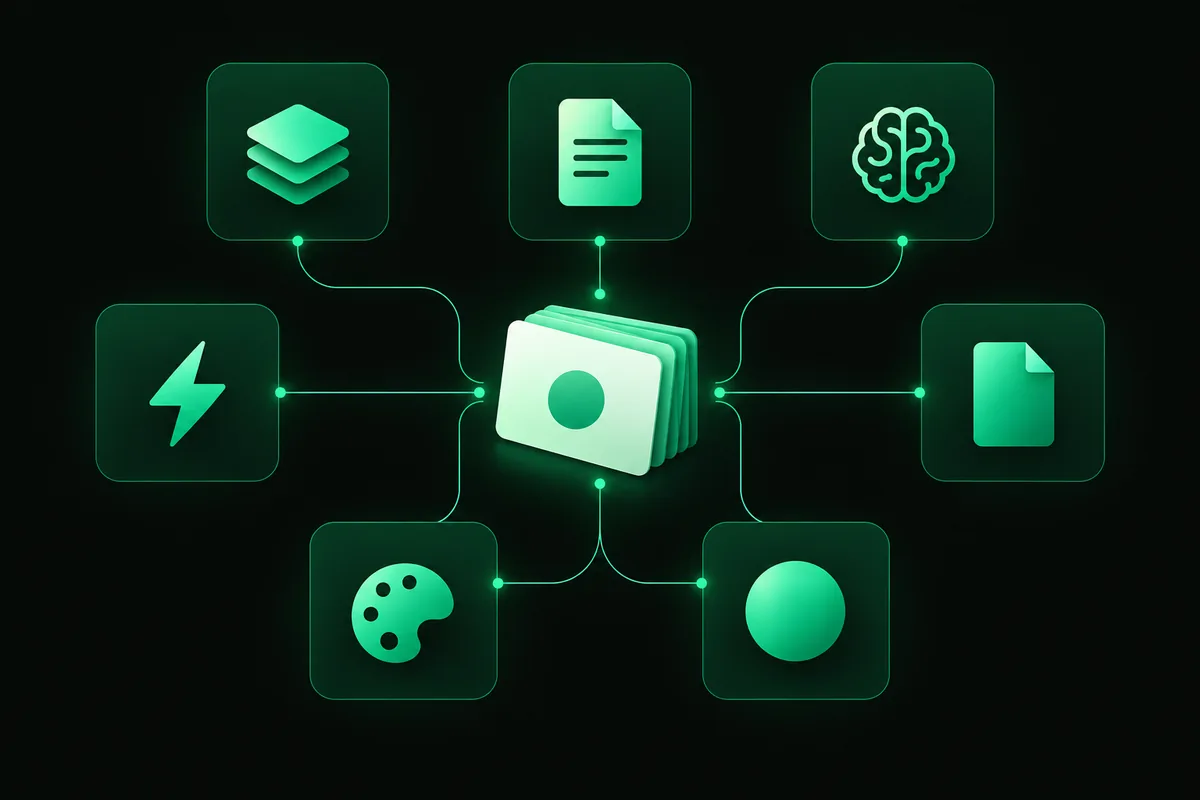
A comparison of these tools’ features, including inputs, AI generation, review modes and pricing based on each vendor’s website.
| Tool | Free plan | Main limit |
|---|---|---|
| Anki | Free desktop app, free AnkiDroid app for Android, free AnkiWeb sync | The iOS app, AnkiMobile, costs $24.99 |
| Knowt | Unlimited file creation, live collaboration and storage | AI PDF, video, image and PowerPoint summarizer is listed under Ultra |
| Quizlet | Free account to study with flashcards, practice questions, diagrams and activities | Study Guides, Learn, Test and Expert Solutions are listed as subscription features |
| Adobe Acrobat Student Spaces | Free, no sign-up to start; files up to 100MB and 600 pages | An Adobe account is needed to save or share your flashcards |
| Revisely | Unlimited non-AI flashcards, 5 AI chat messages a day, 5 pages per document upload | Unlimited AI flashcards need a subscription |
| Canva | Canva Code is available on all Canva plans | Limited monthly access on the free plan |
| StudySim | Interactive sample deck, plus a preview with one key idea, three notes and one practice question | A full deck from your own PDF requires StudySim Pro |
What the free plans include
| Tool | Make cards from | AI card generation | Review modes | Paid from |
|---|---|---|---|---|
| Anki | Cards you write, with audio, images, video and scientific markup; shared decks | Not listed on the Anki homepage | Scheduled reviews based on how well you recalled each card | Free; AnkiMobile $24.99 one-time |
| Knowt | Cards you write, Quizlet import, PDFs, PowerPoints and notes | Yes | Learn mode, practice test, spaced repetition | Ultra $12.99/month billed annually or $24.99 monthly |
| Quizlet | Terms and definitions you type, imported notes, uploaded notes in the app | Yes, in the app | Swipe mode, Learn, Practice Tests, spaced repetition | From $9.99 (US App Store) |
| Adobe Acrobat Student Spaces | PDFs, lecture slides, reading assignments, notes or a prompt | Yes | Review, edit and share decks | Free |
| Revisely | Images, photos, PDFs, PowerPoints, text and handwritten content | Yes (unlimited on paid plans) | Review, exam mode with AI feedback, print, export to Anki | $4.99/month billed annually or $11.99 monthly |
| Canva | A text or voice prompt in Canva Code | Yes (builds an interactive flashcard widget) | Interactive flashcards you can embed in Canva designs | Free with limited monthly access; higher access on Pro and Teams |
| StudySim | Uploaded PDFs, documents, slides, audio, video and public YouTube | Yes (Notecards, with StudySim Pro) | One question at a time, reveal the answer to check yourself | $20/month or $120/year |
Anki: best free flashcard maker for long-term memory
Anki’s website describes Anki as a flashcard program that helps you spend less time studying material you already know, and more time on the stuff you struggle with. You indicate how well you remembered each card, and Anki will show cards just before you’re likely to forget them.
Standout features
- Available for free on Windows, macOS, and Linux computers and Android phones/tablets (AnkiDroid)
- Free syncing via AnkiWeb
- Includes support for audio, images, scientific markup, etc. on cards, as well as video playback
- Decks with 100,000+ cards
- Add-ons & shared decks
| Pros | Cons |
|---|---|
| Free on computers and Android, with free sync | The iOS app, AnkiMobile, costs $24.99 |
| Review scheduling based on your own recall ratings | No AI card generation listed on the homepage |
Pricing: Anki is free on computers and Android. AnkiMobile for iPhone/iPad costs $24.99 as a one-time purchase on the App Store (usable on multiple devices under the same Apple ID). According to the app’s listing, proceeds help fund development of Anki.
Knowt: best free web flashcard maker
Knowt’s flashcards page is a free, AI-powered flashcard maker where you can add images, write your own terms & definitions, generate flashcards from your lecture notes and other materials, or import Quizlet flashcards with one click.
Standout features
- Learn mode (true/false, written, and multiple-choice questions)
- Spaced repetition (useful if your class uses really large flashcard sets and you’re getting a head start on studying)
- Can use its own AI assistant (called Kai) to generate not only flashcards, but also notes from PDFs or PowerPoint presentations
| Pros | Cons |
|---|---|
| Free Basic plan with unlimited file creation and storage | The AI PDF, video and PowerPoint summarizer is listed under the paid Ultra plan |
| One-click Quizlet import | Ultra costs $24.99 a month on monthly billing |
Pricing: Free with the Basic plan. Knowt offers Knowt Ultra, which removes ads and unlocks AI-powered summarization features and full access to its ACT, SAT & AP prep courses for $12.99/mo ($149.99 billed up front, after a 3-day free trial), or $24.99/mo billed monthly.
Quizlet: best for ready-made flashcard decks
On Quizlet, you can create your own flashcards (adding both a term and its definition), browse flashcards your classmates have made, or check out one of the millions of flashcards created by students and teachers around the world.
Standout features
- Learn, Practice Tests, and spaced repetition (all mentioned as features in the app store listings)
- Swipe Mode: Swipe left or right to indicate whether or not you knew the card (available in the free version of the app)
- Turn your notes into a Quizlet: In the app, type, copy/paste, or upload your notes and Quizlet will create a study set for you
- Turn recordings into study materials: Record or upload a recording (e.g., of a lecture) and Quizlet will create study guides and flashcards
| Pros | Cons |
|---|---|
| Millions of decks from other students and teachers | Study Guides, Learn and Test are listed as subscription features |
| Free flashcard maker and free app | Quizlet Plus has monthly usage limits on premium tools |
Pricing: According to the Quizlet Help Center, you can study with flashcards, practice questions, diagrams & activities, etc. for free. In the US version of the App Store, Quizlet lists Quizlet Plus for $9.99 or $44.99 (auto-renews), and Quizlet Plus Unlimited for $44.99.
Adobe Acrobat Student Spaces: best free AI flashcard maker for PDFs
To get started with the Acrobat flashcard maker, just upload your study materials (no sign-up or credit card required), or use an AI prompt to generate flashcards.
Standout features
- Upload PDFs, notes, lecture slides, reading assignments, etc. or use AI prompts to generate flashcards
- AI extracts important ideas, key terms, definitions, and formulas
- Create/edit flashcards; generate more cards as needed
- Share decks with classmates/study buddies
| Pros | Cons |
|---|---|
| Free, with no sign-up to start | Saving or sharing your flashcards needs an Adobe account |
| Handles files up to 100MB and 600 pages | Your file is deleted unless you sign in to save it |
Pricing: According to Adobe’s website, Acrobat Student Spaces is free to get started. Sign in or create an Adobe account to save/share flashcards.
Revisely: best for printable flashcards and Anki export
Upload your notes/PDFs/slides, and Revisely’s AI flashcard generator will generate flashcards for you.
Standout features
- Works with PDFs, PowerPoints, notes, images, and more (even handwritten notes!)
- Print/export/share your flashcard decks (you can even export to Anki!)
- Print double-sided (automatically matches the front/back of the cards) or single-sided flashcards
| Pros | Cons |
|---|---|
| Works from photos and handwritten notes | Free uploads are capped at 5 pages per document |
| Printable cards and Anki export | Unlimited AI flashcards need a subscription |
Pricing: According to Revisely’s website, the Basic (free) plan gives you unlimited non-AI flashcards, 5 AI chat messages/day, a 5 page limit for PDFs/documents, and a 25,000 character limit for text uploads. The $11.99/mo (or $4.99/mo if paid annually) gives you unlimited AI-generated flashcards and raises the page limit for PDFs/documents to 200.
StudySim: best flashcard maker for your own class files
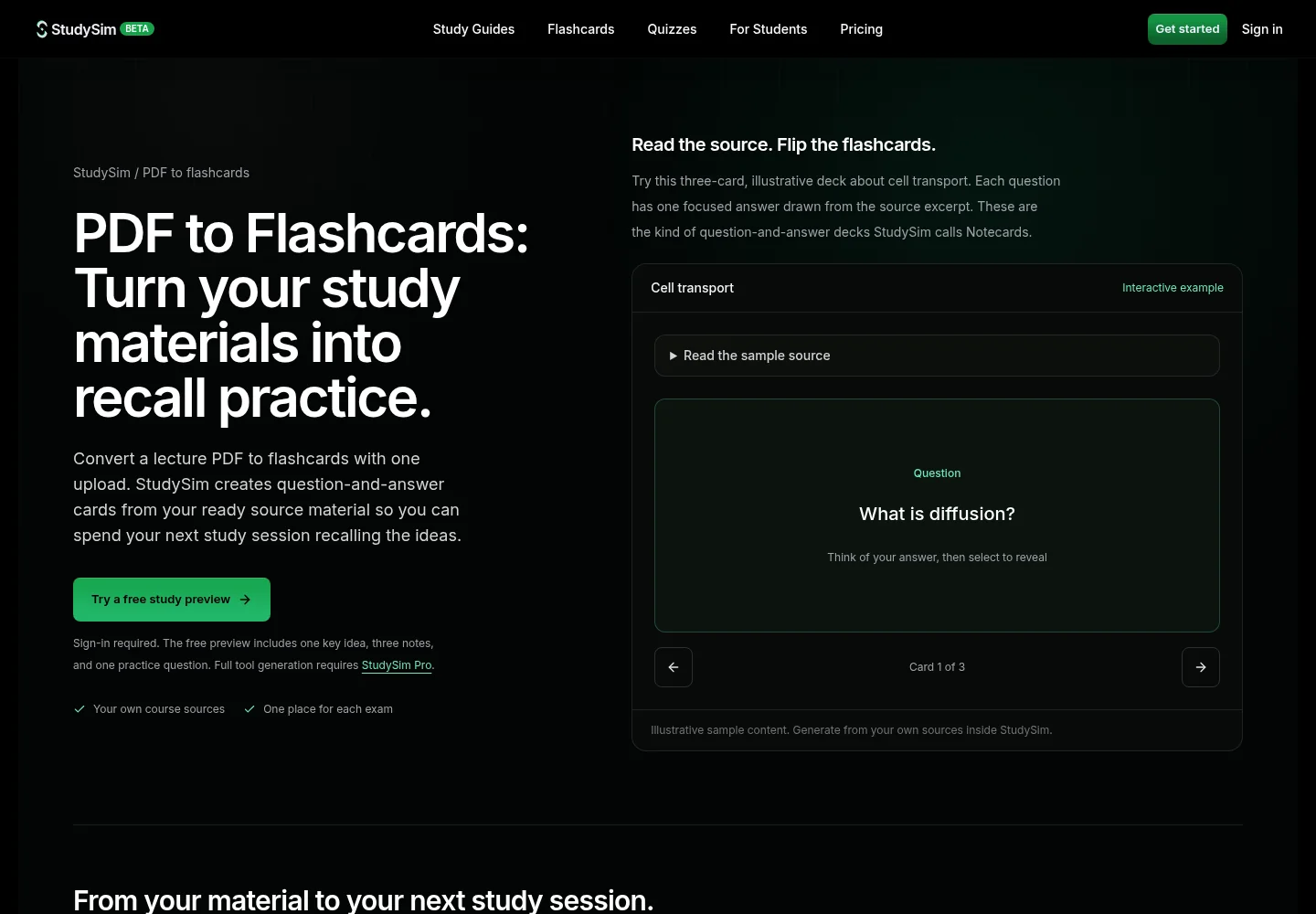
Full disclosure: StudySim is made by the author’s company! Instead of creating one-off decks, you create a Study Space for each class/exam, upload your study materials, and StudySim can help you generate various study aids. For flashcards (which we call Notecards), the front of each Notecard is a question, and the back has a succinct answer.
Standout features
- Upload lecture materials (slides, notes, PDFs, etc., up to 15 per Study Space)
- Tell the AI how many Notecards you want and what concepts to focus on (or generate a standard set with one click!)
- Generate Notecards from a PDF (up to 50MB)
- Also use your Study Space materials to generate AI Study Guides and practice quizzes!
| Pros | Cons |
|---|---|
| Flashcards, quizzes, study guides and podcasts from the same class files | No free full deck: generating from your own PDF requires StudySim Pro |
| You set the card count and what to emphasize | No Anki export; you review the Notecards inside StudySim |
Pricing: According to our pricing page, you can get started with StudySim for free (you’ll get a taste of what we can do with 3 AI-generated notes, 1 practice question, and 1 major idea). You can also try out a sample Notecard deck that we’ve made available for free on our PDF to flashcards page. StudySim Pro costs just $1 for the first 3 days! After the trial, Pro is $120/yr or $20/mo (a credit card is required to sign up for Pro).
Canva: best for designing your own flashcards
Rather than a full-blown studying app, Canva’s flashcard maker can help you create just about any type of flashcards you can imagine. Using Canva Code, describe what you want your flashcards to be like, and Canva Code will generate an interactive flashcard widget for you (you can specify the theme, too!).
Standout features
- Describe your flashcards with a spoken or written prompt, then edit them in a preview pane
- Use in any Canva design (presentations, documents, etc.)
- Built-in data collection can save responses to a Canva Sheet
| Pros | Cons |
|---|---|
| Fully custom look, built from a prompt | Free plan has limited monthly Canva Code access |
| Fits into Canva docs and presentations | No spaced repetition or review scheduling mentioned on the page |
Pricing: According to Canva, Canva’s flashcard maker is powered by Canva Code and available on all Canva plans (monthly usage is limited for Canva Free users, but higher for Canva Pro and Canva for Teams).
How to pick the right flashcard maker
| If you... | Pick |
|---|---|
| Want free long-term memorization with scheduled reviews | Anki |
| Want a free web app and already have Quizlet sets | Knowt |
| Want ready-made decks made by other students | Quizlet |
| Want AI cards from one PDF without signing up | Adobe Acrobat Student Spaces |
| Want to print cards or export them to Anki | Revisely |
| Want a custom-designed, interactive flashcard widget | Canva |
| Want flashcards, quizzes and a study guide from the same class files | StudySim |
The best flashcard app for you depends on what you’re learning and what you need to remember, and for how long. Need to memorize some info for a quiz next week? Any of the tools above should get the job done just fine. Prepping for a licensing exam or a final that covers the whole semester? Look for flashcard apps that help you with scheduling reviews.
And while flashcards are great, don’t limit yourself to only using flashcards to study! As a test-prep strategy, it’s important to practice answering questions in different formats. Curious about how to make a quiz from a PDF and the best AI quiz makers? Studying for a specific test? Try one of our practice tests!
How to make better flashcards with any tool

AI-powered flashcard makers can churn out a deck in seconds, but you’re still responsible for making sure they’re good flashcards! For studying, you’ll get the most out of flashcards that test your ability to recall a definition, draw a comparison, or name a single step in a process. It’s much harder to meaningfully review from a flashcard that summarizes an entire page of notes.
Here are some tips for getting the most out of AI-powered flashcard makers:
- Be specific about what you want the AI to focus on. For example, you might ask it to focus on short definitions/explanations of key terms or concepts, or describe the major mechanisms discussed in the lecture.
- Double-check the AI’s work! Review each card against the source material to make sure they’re correct. Edit or remove inaccurate ones.
- Upload all of the relevant materials (notes, PDFs, slides, etc.) for a class. A single PDF may leave out an example that was covered in lecture.
- Try to answer each question from memory before flipping the card. Also, space your studying out over multiple days!
Free printable: flashcard maker checklist (PDF)
We turned the decision table and these deck-building steps into a one-page checklist with a review log. Download the flashcard maker checklist (PDF) and keep it next to your deck.
Watch: studying for exams with flashcards
This long masterclass from Ali Abdaal walks through how he uses Anki flashcards to study for exams:
FAQ
What is the best free flashcard maker?
For long-term memorization, Anki is free on computers and Android and schedules reviews for you. For a free web app, Knowt's Basic plan includes unlimited file creation and storage plus Quizlet import. For AI cards from a PDF with no sign-up, Adobe Acrobat's Student Spaces is free to start.
Can AI make flashcards from a PDF?
Yes. Adobe Acrobat Student Spaces, Revisely, Knowt and StudySim all generate flashcards from uploaded PDFs. Free limits differ: Revisely's free plan caps uploads at 5 pages per document, and StudySim requires Pro for a full deck. Always check AI-made cards against your source.
Is Quizlet still free?
Yes. Quizlet's Help Center says a free account lets you study with flashcards, practice questions, interactive diagrams and activities. Study Guides, Learn, Test and Expert Solutions are listed as features of its paid plans, which the US App Store lists from $9.99.
Is Anki free?
Anki's desktop app is free for Windows, macOS and Linux, and AnkiDroid for Android is free. AnkiMobile, the official iOS app, costs $24.99 on the App Store, and sales help fund Anki's development.
Can I print flashcards I make online?
Yes. Revisely lets you print single-sided or double-sided cards with the sides aligned automatically, and it can export decks to Anki.
About the author
Jozef Gherman is the founder of xyzai.io, the company behind StealthGPT and StudySim, where he builds AI tools that help students and writers study smarter and write with confidence. He writes about study techniques, exam prep, and practical ways to use AI for learning.