
AI Quiz Generator: 6 Best Tools for Students (2026)
The best AI quiz generator for most students is one that builds questions from your own class notes and lets you check every answer against them. Gemini Notebook (formerly NotebookLM) is the strongest free pick, StudySim suits quizzing from all your course sources with written answers, Quizgecko pairs six question types with editable drafts, and Questgen leads on exports. We compared six tools using their own product and pricing pages, checked on October 17, 2026.
| Use case | Tool | Price from |
|---|---|---|
| Free quizzes grounded in your uploaded sources | Gemini Notebook (formerly NotebookLM) | Free with a Google account |
| Multiple-choice and written quizzes from notes, PDFs, slides and recordings | StudySim | $1 for the first 3 days, then $20/month or $120/year |
| Six question types with editable drafts | Quizgecko | Free plan; Plus $16/month |
| Exporting quizzes to an LMS, PDF or CSV | Questgen | 20 free runs; Pro $15/month or $100/year |
| Answer explanations on a small budget | CogniGuide | Free (5 creations a week); Plus $9.99/month |
| Shareable quiz forms that collect responses | Jotform AI Quiz Generator | Free Starter plan (5 AI quizzes) |
How we picked these AI quiz generators

Every tool on this list makes a quiz from material you supply, such as notes, a PDF or slides, instead of pulling generic trivia. That matters because practice testing works: a 2013 review published by the Association for Psychological Science rated taking practice tests as high utility, because it helped students of many ages and ability levels across many subjects.
We checked each vendor's product page and pricing page on October 17, 2026, and we only list features and prices those pages state. We did not buy paid plans, so this is a documented-features comparison, not a benchmark of question quality. If a vendor's price was not visible on its pricing page, we left it out.
What we looked for
- Inputs: which file types and links the tool accepts.
- Question types: multiple choice only, or also written and other formats.
- Study features: explanations, hints, retakes and editing.
- Exports and sharing: PDF, LMS formats, links or embeds.
- Free tier: what you can do before you pay.
AI quiz generator comparison table

Here is how the six tools line up on the features their own pages list. Cells are taken from vendor pages checked on October 17, 2026.
| Tool | Inputs | Question options | Export and sharing | Free tier |
|---|---|---|---|---|
| StudySim | Notes, PDFs, slides, supported recordings, public YouTube (files up to 50 MB, up to 15 sources per study space) | Multiple choice, short answer, long answer; difficulty, length and timing settings | Quizzes are taken inside StudySim | Sign-in preview with one key idea, three notes and one practice question |
| Gemini Notebook | Sources uploaded to a notebook (up to 50 per notebook on the free tier) | Easy, medium or hard; fewer, standard or more questions; custom prompt | Interactive quiz viewer inside the notebook | Free sign-up with a Gmail account |
| Quizgecko | PDFs, Word documents, slides, text, web links, YouTube, images, audio and video | Multiple choice, select all that apply, true/false, fill-in-the-blank, matching, short answer | PDF download, printable worksheet, share link; LMS export on Ultra | Free plan with up to 10k tokens per course |
| Questgen | Text up to 80,000 words, website URL, PDF, DOCX, images, audio and video files | MCQ, multiple-answer MCQ, true/false, fill-in-the-blank, matching, short answer, higher-order and Bloom's taxonomy questions | PDF, QTI 2.1, Moodle XML, GIFT, AIKEN, CSV, JSON; share or embed | 20 free runs |
| CogniGuide | PDF, DOCX, PowerPoint, images or a typed prompt | Multiple choice with an explanation for every option | PDF, Word, QTI and Moodle XML on Plus or Pro | 5 creations a week, up to 10 quiz questions each |
| Jotform AI Quiz Generator | A prompt, or a PDF, PowerPoint, Word or text file up to 10 MB | Multiple choice, single choice, yes/no | Share link or embed code | 5 AI quizzes on the free Starter plan |
Gemini Notebook: best free AI quiz maker
NotebookLM was rebranded as Gemini Notebook in July 2026, and existing notebooks are still accessible. To make a quiz, add your sources to a notebook, then select Quizzes in the Studio panel. You can set the number of questions (fewer, standard or more) and the difficulty (easy, medium or hard).
| Pros | Cons |
|---|---|
| Free sign-up with a Gmail account | The help article lists a CSV download for flashcards but not for quizzes |
| Explain button for answers, plus hints during a quiz | The help article lists only three quiz settings: difficulty, number of questions and a prompt |
Standout features
- Pick easy, medium or hard difficulty and fewer, standard or more questions.
- Add a prompt to steer the topic, audience or focus of the quiz.
- Get explanations for incorrect answers, then review or retake the quiz at the end.
Pricing: it's free to use with limits (currently 100 notebooks with up to 50 sources each), and paid Google AI Plus, Pro and Ultra plans raise those limits. Google's guide to generating quizzes in Gemini Notebook walks through every setting.
StudySim: best for quizzing from all your course sources
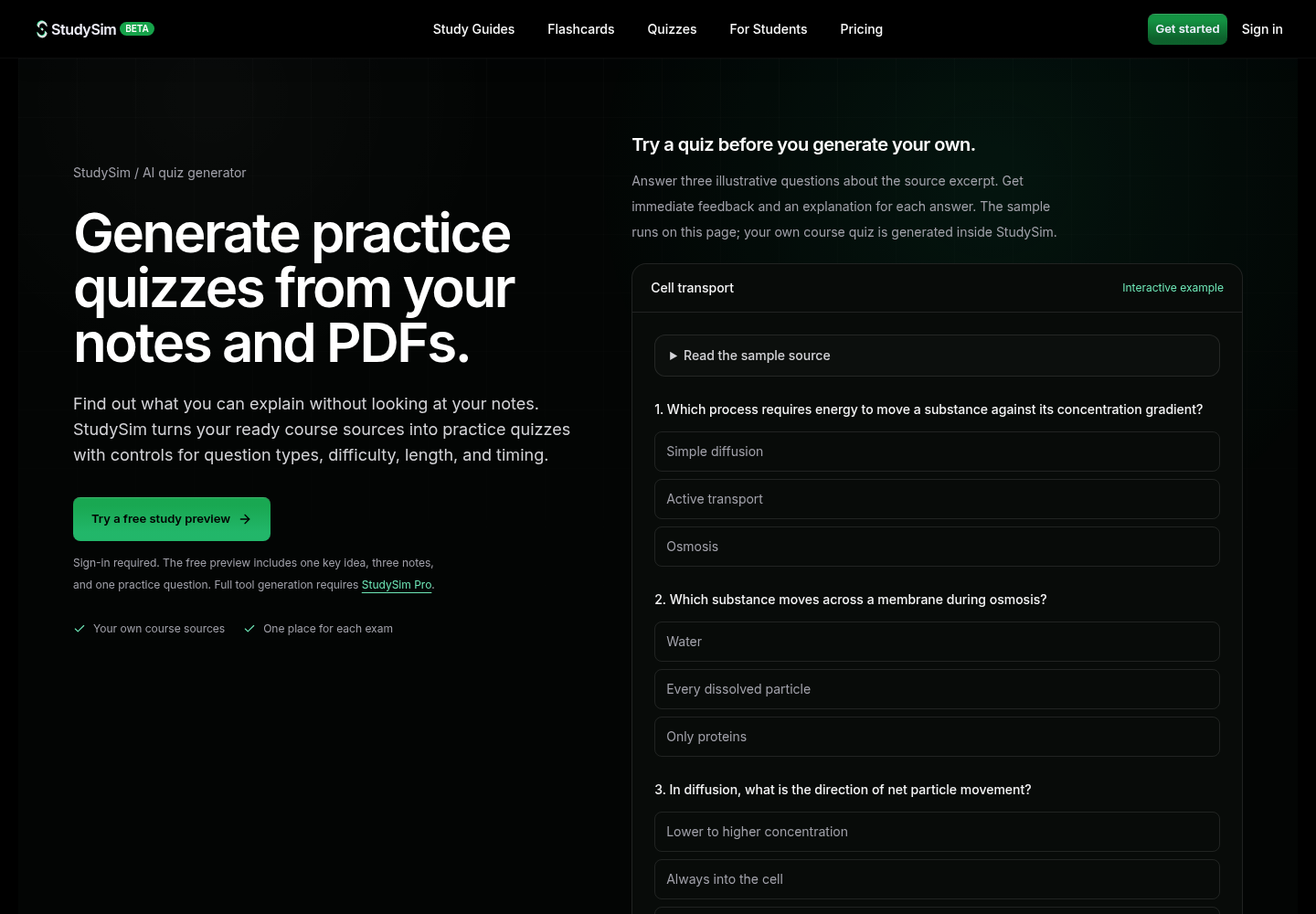
StudySim is the study app built by the author's company, so weigh this entry with that in mind. Add notes, PDFs, slides, supported recordings or public YouTube videos to a study space, let them finish processing, then choose Quiz to generate questions from those sources.
| Pros | Cons |
|---|---|
| Multiple-choice, short-answer and long-answer questions | Full quiz generation requires StudySim Pro |
| The quiz, study guide, flashcards and podcast stay in one study space | The free preview includes only one practice question |
Standout features
- Quiz settings for question types, length, difficulty and timing, plus a one-click default.
- Written questions ask you to explain an idea in your own words, not just pick an option.
- A free three-question interactive sample runs on the public quiz page, no account needed.
Pricing: Pro costs $1.00 for the first 3 days, then $20 a month or $120 a year, and allows up to 50 generations per tool each day. You can try the sample or generate practice quizzes from your notes and PDFs on StudySim's quiz page.
Quizgecko: best for question variety
Quizgecko turns notes, PDFs, slides, YouTube lectures or web content into a course with AI-generated quizzes, flashcards, notes and audio reviews. Upload your study materials or paste in a URL or text, and mix question formats before you generate. Once the quiz is ready, check the answers against your materials, since Quizgecko itself calls the output an editable draft.
| Pros | Cons |
|---|---|
| Six question types, including matching and select all that apply | LMS export is listed only on the Ultra plan |
| Edit questions, answers and difficulty before you study or share | The free plan is capped at 10k tokens per course |
Standout features
- Choose the question format and mix before you create the quiz.
- Download questions as a PDF, print a worksheet or share a link for online practice.
- Track quiz results and activity completion to decide what to study next.
Pricing: Free at $0, Plus at $16 a month with 20 AI courses a month, and Ultra at $29 a month with unlimited AI courses and LMS export, per Quizgecko's plans page.
Questgen: best for exports and teachers
Paste text in any language, add a URL, or upload documents, images, or audio and video files, and Questgen turns them into an assessment. You choose the question types before generating and can edit the questions afterward. It is aimed at teachers, HR teams and publishers, but it also has a study mode that scores your answers on automatically graded question types.
| Pros | Cons |
|---|---|
| Exports to QTI 2.1, Moodle XML, GIFT, AIKEN, PDF, CSV and JSON | The free Basic plan includes 20 runs |
| Bloom's taxonomy questions at any of six levels | For YouTube lessons, you download the audio yourself and upload the file |
Standout features
- Enter up to 80,000 words of text in any language.
- Edit the generated questions before exporting them.
- Share quizzes publicly or embed them as an interactive iframe.
Pricing: Basic is free with 20 runs, and Pro costs $15 a month or $100 billed yearly for unlimited runs under fair use, according to Questgen's pricing page.
CogniGuide: best budget pick with explanations
CogniGuide builds multiple-choice quizzes from your documents, slides or images, and every question comes with an answer key and an explanation for each answer option. The same uploads can also become flashcards and mind maps.
| Pros | Cons |
|---|---|
| An explanation for every answer option | Quiz downloads require Plus or Pro |
| Plus costs $9.99/month with no weekly creation limit | Free quizzes are capped at 10 questions per creation |
Standout features
- Practice inside the app or export to PDF, Word, QTI 2.1 or Moodle XML on a paid plan.
- Paid plans allow quizzes with 20 to 30 questions.
- Flashcards with spaced repetition and mind maps come from the same uploads.
Pricing: the free plan gives 5 creations a week, up to 3 a day, and Plus costs $9.99 a month or Pro $14.99 a month on CogniGuide's pricing page.
Jotform AI Quiz Generator: best for sharing a quiz
Type a prompt or upload a PDF, PowerPoint, Word or text file (up to 10 MB) to generate a quiz, which then opens in Jotform's form builder. It suits a study group leader or tutor who wants to send one quiz to several people and collect responses.
| Pros | Cons |
|---|---|
| Share the quiz by link or embed it on a site | Only 5 AI quizzes on the free Starter plan |
| Recognizes 30 languages | The FAQ lists three question types: multiple choice, single choice and yes/no |
Standout features
- Set the number of questions, the language and the question types.
- Regenerate questions that don't fit and adjust difficulty in the form builder.
- Share the finished quiz by link or embed code.
Pricing: the free Starter plan allows five AI quizzes, while the Gold plan allows up to 100, per Jotform's AI Quiz Generator page. Jotform also lists a 50 percent education discount on its paid plans.
Watch: making a quiz from your notes with NotebookLM
This short video from Ramesh Fadatare shows how to create a quiz automatically using NotebookLM, now called Gemini Notebook:
How to pick the right AI quiz generator
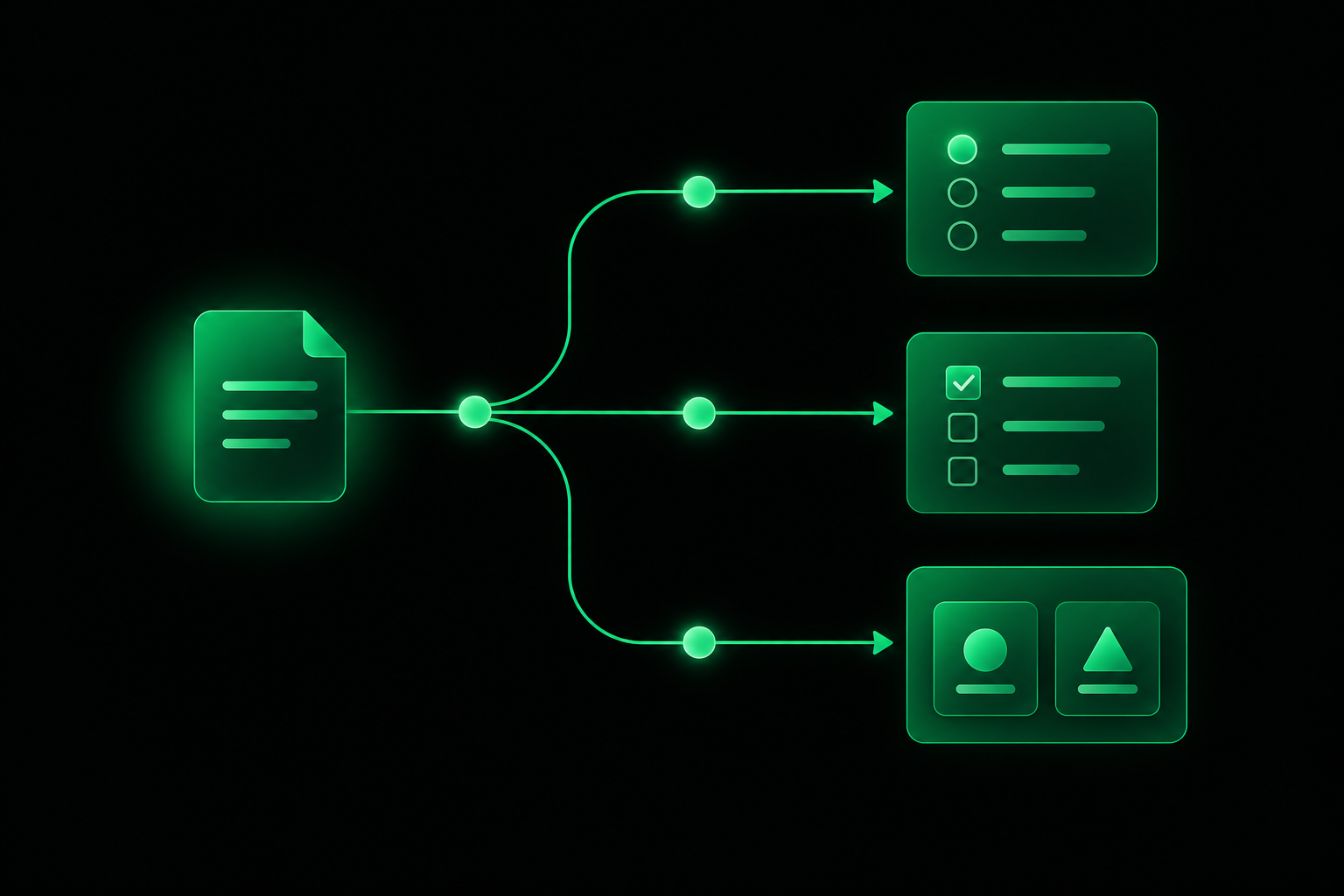
Start with what you need the quiz for, then match it to the tool built for that job.
| If you want to... | Pick |
|---|---|
| Quiz yourself for free from your uploaded sources | Gemini Notebook |
| Practice written answers from notes, PDFs, slides and recordings in one place | StudySim |
| Mix matching, fill-in-the-blank and other question types | Quizgecko |
| Export to Moodle XML, QTI or a printable PDF | Questgen |
| See an explanation for every answer option on a small budget | CogniGuide |
| Send one quiz to a group and collect responses | Jotform AI Quiz Generator |
Whichever tool you choose, run every generated quiz through the same six checks before you study from it. Copy this checklist into your notes:
- Find each correct answer in your own notes or slides before you trust it.
- Skip questions on topics or terms your course has not covered.
- Flag any question with two answers you could defend.
- Include some written questions alongside the multiple choice.
- Write the page or slide number next to every question you miss.
- Retake a fresh quiz on the same material a day or more later.
Quizzes work best inside a wider routine. Our guide to science-backed study methods explains why spacing out practice tests beats cramming, and The Learning Scientists' summary of six strategies for effective learning covers retrieval practice in plain language. For the details you keep missing, turn a PDF into flashcards or build a study guide from the same sources.
FAQ
Is there a free AI quiz generator?
Yes. Gemini Notebook is free with a Google account, Questgen includes 20 free runs, CogniGuide allows 5 free creations a week, Quizgecko has a free plan with starter limits, and Jotform's free Starter plan allows five AI quizzes.
Can an AI quiz generator make questions from a PDF?
Yes. StudySim, Quizgecko, Questgen, CogniGuide and Jotform all accept PDFs. StudySim allows files up to 50 MB, and Jotform allows files up to 10 MB.
Are AI-generated quiz questions accurate?
Not always. Quizgecko's own FAQ says AI can still make mistakes and tells you to check questions and answers against the original source, so verify each answer in your notes before you rely on it.
What question types can an AI quiz maker create?
It depends on the tool. Quizgecko lists six types, including matching and fill-in-the-blank, Questgen adds Bloom's taxonomy and higher-order questions, StudySim offers short-answer and long-answer questions, and Jotform lists multiple choice, single choice and yes/no.
Do practice quizzes actually help you study?
Yes. A 2013 review published by the Association for Psychological Science rated practice testing as high utility, along with spreading study sessions out over time (distributed practice).
About the author
Jozef Gherman is the founder of xyzai.io, the company behind StealthGPT and StudySim, where he builds AI tools that help students and writers study smarter and write with confidence. He writes about study techniques, exam prep, and practical ways to use AI for learning.