StudySim / Comparisons / StudyFetch
StudySim vs StudyFetch: an honest comparison for studying
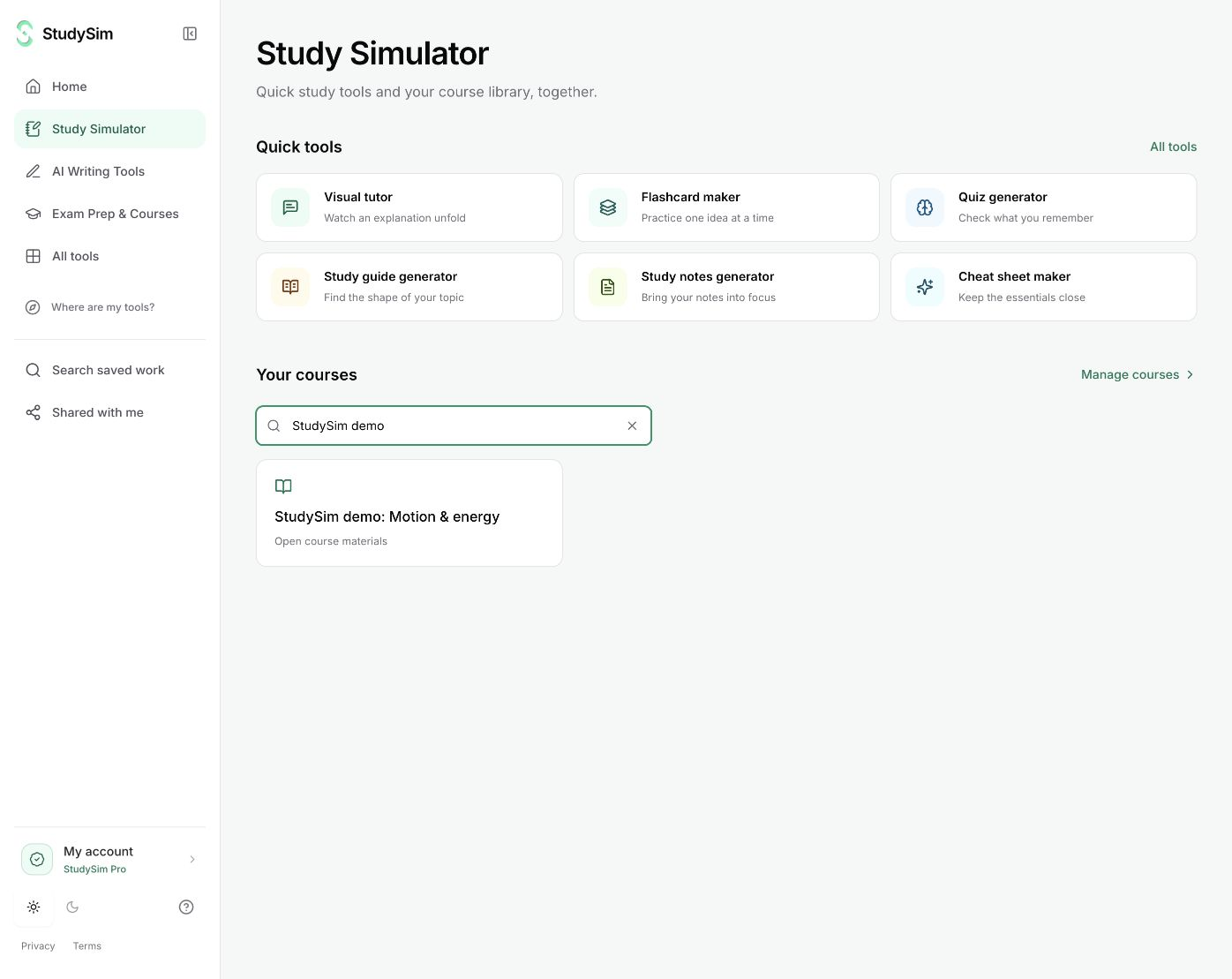
StudyFetch is an AI learning platform built around Sparky, an AI tutor. It records lectures, makes flashcards, quizzes and exam-style practice tests, and adds audio recaps, explainer videos, study games and a study plan. Its free plan allows 2 uploads in total, and its website does not list a Premium price. StudySim combines bounded public study, writing, and research tools with a saved course library. Try a complete small result before signing in, or use Pro course generators for configurable quizzes, guides, flashcards, and two-speaker podcasts across your saved material. If you want a general tutor chat over all your materials, Sparky is designed for that. If you want a StudyFetch alternative with transparent pricing, StudySim is worth a look.
Try StudySim free toolsTry complete small study, writing, and research results without signup. Public AI tools share a daily allowance. Full saved-course generators use the existing StudySim Pro.
Last verified Oct 25, 2026
Feature comparison
| Feature | StudySim | StudyFetch |
|---|---|---|
| What it is | An AI study workspace for students, organized by class, unit or exam | An AI learning platform with an AI tutor, Sparky, that builds study tools from your course materials[1] |
| Free plan | 16 bounded public AI/provider tools plus 7 local utilities; complete small outputs before signup, with input and daily limits. A separate signed-in course preview remains available. | 2 uploads in total. Deleting a file does not give the upload back[2] |
| Paid plan (US) | StudySim Pro: $1 for the first 3 days, then $20/month or $120/year | Premium, with unlimited uploads. No Premium price is listed on studyfetch.com (checked Oct 25, 2026)[2] |
| Supported inputs | PDF, DOCX, TXT, Markdown and PowerPoint files; MP3, WAV and OGG audio; MP4 and WebM video; public YouTube links | PDF, DOCX, PPTX, TXT, PNG and JPEG files; MP3 audio and MP4 video; YouTube links; Google Drive; photos of handwritten notes; pasted notes; Quizlet set links[4] |
| Flashcards | Notecards, with a card count you choose and optional generation instructions | Term and definition, multiple-choice, fill-in-the-blank, audio and cloze cards, with spaced repetition built in[5] |
| Quizzes | Multiple-choice, short-answer and long-answer questions, with settings for length, difficulty and timing | Multiple-choice, true/false, fill-in-the-blank, short-answer and free-response questions, with instant feedback and confidence ratings[6] |
| Standardized exam practice | Free original sample questions with explanations for 10 exams, including the TEAS, MCAT, NCLEX, PSAT and AP courses | Practice tests in exam formats such as MCAT passage sets, NCLEX select-all and AP free response[7] |
| Study guides and notes | A dedicated study guide tool that organizes your sources into sections and key concepts | Notes made from each upload in Summarized, In-Depth or Comprehensive formats[4] |
| Audio review | Two-speaker podcasts with selectable voices and length controls | Audio recaps as a summary, lecture, podcast, audiobook or song, with one or more narrators and questions while it plays[8] |
| AI tutor chat | Contextual visual tutor follow-ups; not a general notebook-wide chat | Sparky explains concepts from your materials and answers follow-up questions[3] |
| Lecture capture | Upload recorded audio (MP3, WAV, OGG) or video (MP4, WebM) | Record a class inside StudyFetch and get study materials from it[3] |
| Study plan | Not listed | A study plan that orders the topics in your materials, with a cram mode for the night before[3] |
| Other outputs | Not listed | AI explainer videos, Arcade study games and a study calendar[1] |
| Where you can use it | On the web at studysim.ai | Web, iOS and Android[3] |
Verified Oct 25, 2026
When StudyFetch is the better pick
- You want a general tutor chat over all your materials. Sparky explains concepts and answers follow-up questions across your uploads. StudySim has a visual tutor with contextual lesson follow-ups, rather than a notebook-wide chat.
- You want to record a class as it happens. StudyFetch records lectures and turns them into study materials. StudySim takes recorded audio and video uploads and does not list live recording.
- You want a schedule. StudyFetch builds a study plan from your materials, with a cram mode for the night before. StudySim does not list a study plan.
- You study from photos or Google Drive. StudyFetch takes photos of handwritten notes and imports files from Google Drive. Images and Drive are not on StudySim's list of sources.
- You are practicing for a standardized exam in its real format, such as MCAT passage sets or NCLEX select-all questions.
- You want more flashcard types and spaced repetition. StudyFetch makes cloze, fill-in-the-blank and audio cards and schedules reviews for you.
- You learn better from video or games. StudyFetch makes explainer videos and Arcade games from your material. StudySim does not list either.
When StudySim fits
- You want to see the price before you sign up. StudySim Pro is $1 for the first 3 days, then $20 a month or $120 a year, and you can cancel from your account at any time. StudyFetch's website does not list a Premium price.
- You want a complete small output from a direct guide, quiz, visual tutor, writing, or research tool before deciding whether to save it.
- You prefer a short list of tools kept together by class or exam: a study guide, Notecards, a quiz and a podcast from the same sources.
- You want to set the length, difficulty and time limit of each practice quiz yourself.
About StudySim
StudySim is an AI study workspace for students. You create a study space for a class, unit or exam, add your course sources, and generate study guides, flashcards (called Notecards), practice quizzes and two-speaker podcasts from them.
| Detail | Information |
|---|---|
| Study tools | Study guides, Notecards (flashcards), quizzes and two-speaker podcasts[source] |
| Quiz formats | Multiple-choice, short-answer and long-answer, with length, difficulty and timing settings[source] |
| Recorded lectures | Supported audio and video uploads join the same study space as your PDFs, notes and slides[source] |
| Supported sources | PDF, DOCX, TXT, Markdown, PPTX, MP3, WAV, OGG, MP4, WebM and public YouTube links[source] |
| Limits | Up to 15 sources per study space, 50 MB per file, up to 50 generations per tool each day on Pro[source] |
| Free option | 16 bounded public AI/provider tools and 7 local utilities, complete small results before signup, plus a separate signed-in course preview[source] |
| Pricing | StudySim Pro costs $1 for the first 3 days, then $20/month or $120/year. A credit card is required, and you can cancel from your account at any time.[source] |
| Free practice tests | Original sample questions with explanations for 10 exams, including the TEAS, MCAT, NCLEX, PSAT and AP courses[source] |
Pricing verified against the live pricing page on Oct 25, 2026
Explore StudySim
A few useful details
StudyFetch vs StudySim FAQ
Is StudyFetch free?
You can start for free. StudyFetch's free plan allows 2 uploads in total, and deleting a file does not give the upload back. Premium removes the upload limit.
How much does StudyFetch Premium cost?
StudyFetch's website does not list a Premium price (checked October 25, 2026). Its support FAQ says getting started is free. Check the price shown at checkout before you subscribe.
Is StudySim free?
StudySim has 16 bounded public AI/provider tools and 7 local utilities. Public tools return complete small results before signup, subject to their input, daily, and availability limits. Saving is optional. Pro course generators are separate and retain the existing $1 for the first 3 days, then $20/month or $120/year offer.
How do I switch from StudyFetch to StudySim?
StudySim does not import StudyFetch study sets, so start from your original files. Create a study space named for the class or exam and upload your PDFs, Word files, slides, recordings or YouTube links (up to 15 sources, 50 MB per file). With StudySim Pro, generate a study guide, Notecards, a quiz or a podcast. If you are leaving StudyFetch Premium, cancel in StudyFetch under Settings, then Billing Portal.
Does StudySim have an AI tutor like Sparky?
StudySim has a visual tutor that creates narrated animated lessons and supports contextual follow-up questions within each lesson. It is not a general chat over all your materials. If you want open-ended question answering across your uploads, Sparky is designed for that.
Which is better for exam prep, StudySim or StudyFetch?
For a standardized exam such as the MCAT or NCLEX, StudyFetch generates practice tests in those exam formats, and StudySim offers free sample questions for 10 exams. For a class exam built on your own lectures and readings, both work from your files. StudySim keeps fewer tools in one study space and shows its price upfront.
Can I use StudyFetch and StudySim together?
Yes. Both accept PDF, Word, PowerPoint and text files, MP3 audio, MP4 video and YouTube links, so you can upload the same course material to each.
Sources
- [1]StudyFetch home page(accessed Oct 25, 2026)
- [2]Upload study materials - StudyFetch docs(accessed Oct 25, 2026)
- [3]StudyFetch support and FAQ(accessed Oct 25, 2026)
- [4]Upload method guides - StudyFetch docs(accessed Oct 25, 2026)
- [5]Flashcards - StudyFetch(accessed Oct 25, 2026)
- [6]Quizzes - StudyFetch(accessed Oct 25, 2026)
- [7]Practice Tests - StudyFetch(accessed Oct 25, 2026)
- [8]Audio Recap - StudyFetch(accessed Oct 25, 2026)
- [9]How to cancel your subscription - StudyFetch docs(accessed Oct 25, 2026)
More comparisons
See all comparisonsReady to try StudySim?
Build a practice quiz from your own course material.
Upload your study materials to StudySim and create a personalized quiz that matches your course content.