AI writing tools
A clearer draft starts with a clearer workspace.
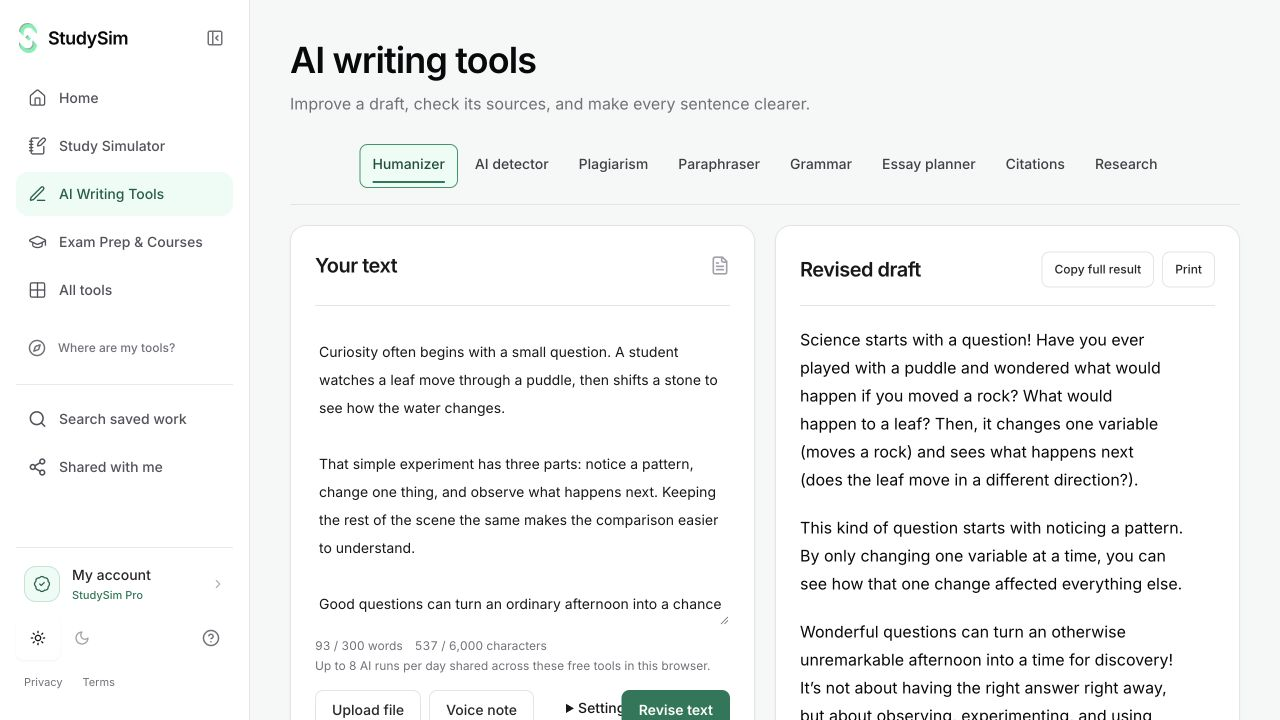
Revise a passage, check grammar, review writing signals, look for web matches, or work on references. Keep your draft in view while each tool gives you its own result.
Try a complete bounded result. Sign in when you want to save it.
What you get
One writing workspace with tool-specific results, aligned draft and result panels, and live word counts.
From your material to your next step.
Bring the draft
Paste the text you want to work on. The editor shows word and character counts before you submit.
Choose one task
Select a writing or research tool. Changing tools keeps the draft and does not generate automatically.
Review the actual result
Read, copy, or apply a revision. Use revised text before checking a rewritten passage with another tool.
Make it part of the way you work.
Improve the writing
Use paraphrasing, grammar review, or a natural-language rewrite for a specific editing task.
Review sources
Find web similarities, publication metadata, and scholarly source records in the same product.
Start here. Save what helps.
Use a complete bounded result before signing up. Your draft stays in the editor when you change tools, and each tool keeps its own result. AI tools share a daily browser allowance; signing in or subscribing does not automatically remove that allowance.
See the current free and Pro offerKnow the scope
Writing assistance needs your review. Detection scores are uncertain, web similarity is not proof of misconduct, and a rewrite does not guarantee any detector result.
A few useful details.
Does switching tools replace my draft?
No. Your draft stays in the editor. Use the explicit “Use revised text” action when you want a revision to become the input for the next check.
Will I see the wrong tool’s old report?
The workspace keeps completed results with their individual tools. Switching to a tool shows that tool’s result or its empty state.
Keep going.
All featuresNatural writing editor
Use StealthGPT Super to make a bounded natural-language rewrite. Review the wording alongside your original, with paragraph breaks and supported list structure carried through the request.
Grammar checker
Review grammar and sentence-level suggestions alongside your draft. Read the explanation before you decide whether a change belongs in your writing.
Citation generator
Look up a DOI or publication title and use the returned metadata to draft a reference. Open the original source and check the details before submitting your work.