Citation generator
Start the reference with real publication details.
Look up a DOI or publication title and use the returned metadata to draft a reference. Open the original source and check the details before submitting your work.
Try a complete bounded result. Sign in when you want to save it.
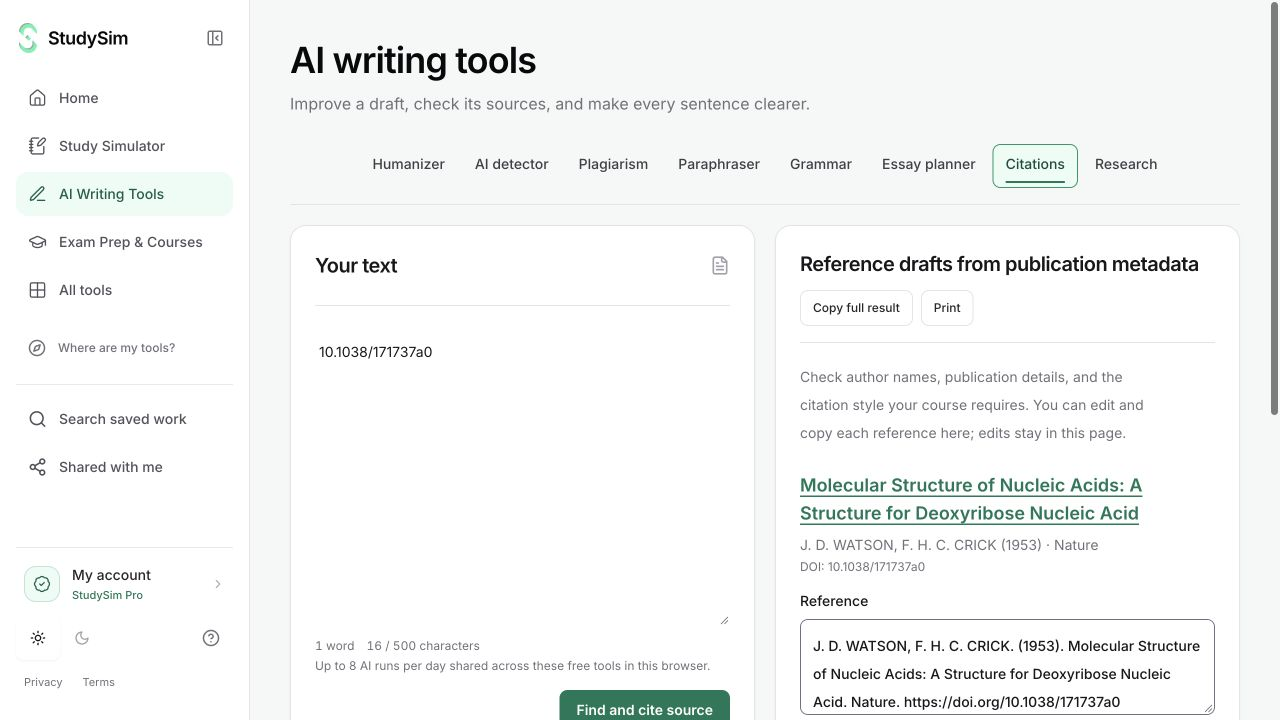
What you get
Editable reference drafts from verified publication metadata, with original-source links when available.
From your material to your next step.
Enter a DOI or title
Use a publication identifier or a recognizable publication title rather than pasting an unrelated website URL.
Review the returned record
Check the title, authors, year, and available source link against the publication you intended.
Finish the reference
Copy the editable draft and check the exact requirements of the citation style you need.
Make it part of the way you work.
Start with metadata
Get a reference draft grounded in a real publication record.
Check the original
Follow available source links instead of relying only on a formatted-looking citation.
Start here. Save what helps.
Use a complete bounded result before signing up. Your draft stays in the editor when you change tools, and each tool keeps its own result. AI tools share a daily browser allowance; signing in or subscribing does not automatically remove that allowance.
See the current free and Pro offerKnow the scope
References are editable metadata-derived drafts. Metadata can be incomplete, and StudySim does not guarantee strict formatting in every citation style.
Open the standalone toolA few useful details.
Can I paste any URL?
The tool is built for a DOI or publication title. General website URLs that are not a DOI are not treated as verified publication identifiers.
Should I check the citation before using it?
Yes. Verify the publication and follow your required style’s rules for the final reference.
Keep going.
All featuresResearch assistant
Search for scholarly publication records related to a question or topic. Use the titles, metadata, and source links to decide which originals are worth opening.
Web similarity checker
Compare a passage against public web sources through Copyscape. Read the reported similarities and open the available source links before drawing a conclusion.
Essay planner
Bring a topic and source notes, then make an outline you can build on. Use the plan to see the argument and decide what evidence is still missing.