Natural writing editor
Revise the passage. Keep its structure.
Use StealthGPT Super to make a bounded natural-language rewrite. Review the wording alongside your original, with paragraph breaks and supported list structure carried through the request.
Try a complete bounded result. Sign in when you want to save it.
What you get
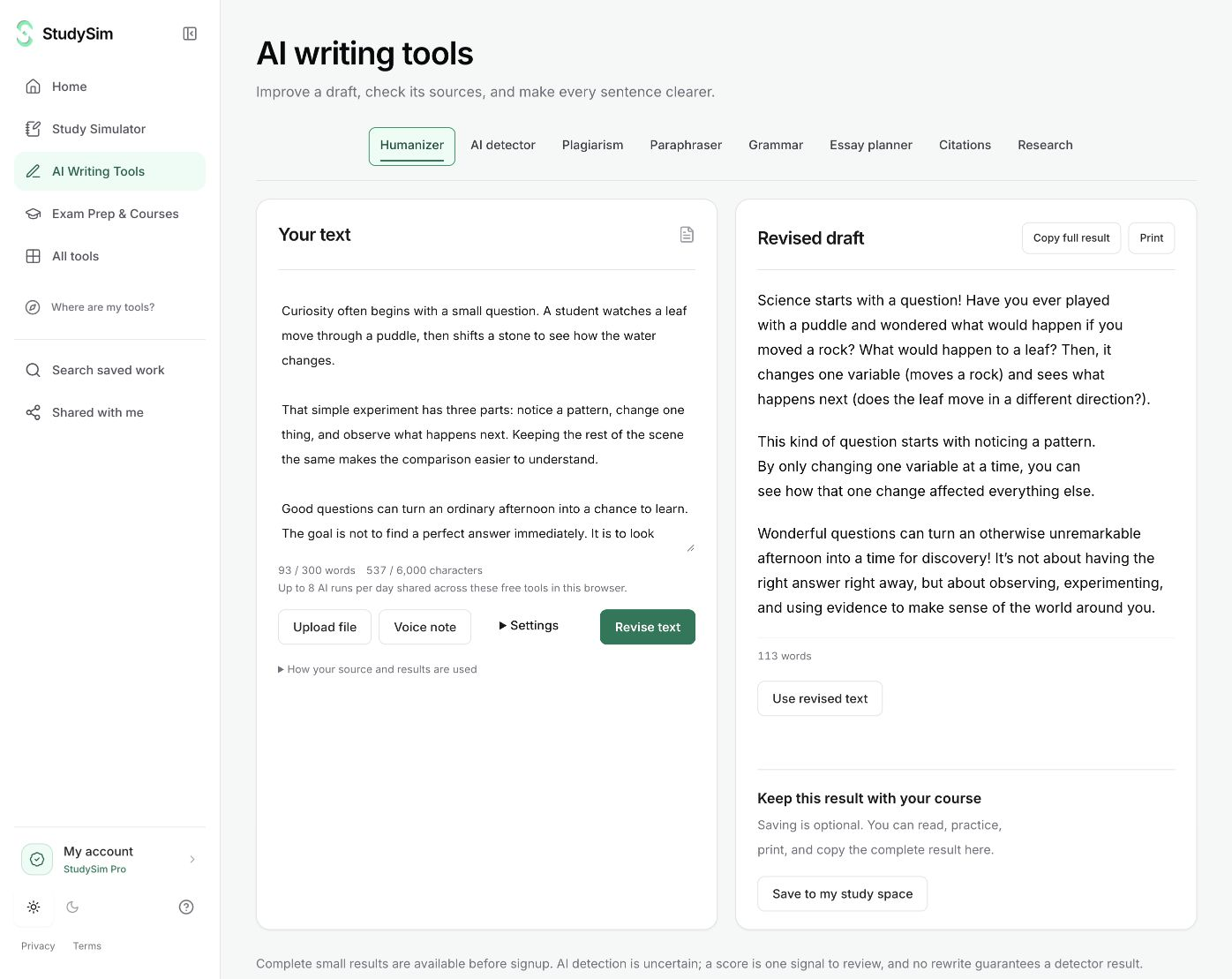
A complete rewrite of up to 300 source words, with an output word count and actions to copy, print, or use the revised text.
From your material to your next step.
Check the word count
Paste up to 300 source words. The live counter tells you when the passage exceeds the existing limit.
Request a rewrite
Choose Revise text and follow the actual submission and generation status.
Read before using it
Compare the revision with your intended meaning. Use revised text when you want it to become the editor’s input.
Make it part of the way you work.
An editing pass
Try another way to phrase a short passage while you remain responsible for the final wording.
Readable formatting
Keep paragraph and line separators, plus supported Markdown list, heading, and quote prefixes.
Start here. Save what helps.
Use a complete bounded result before signing up. Your draft stays in the editor when you change tools, and each tool keeps its own result. AI tools share a daily browser allowance; signing in or subscribing does not automatically remove that allowance.
See the current free and Pro offerKnow the scope
The 300-word bound is for source text and is shown before submission. Format preservation does not guarantee that every rich-text style will carry through. Humanization does not guarantee a low score from an AI detector.
Open the standalone toolA few useful details.
Which rewrite service does StudySim use?
The natural writing editor uses StealthGPT Super. The current integration uses its quality mode and format-preservation support.
How do I check the rewritten text?
Click “Use revised text” first, then select AI detector and submit a new writing-signals check. Switching tools on its own keeps the original editor input.
Keep going.
All featuresAI writing tools
Revise a passage, check grammar, review writing signals, look for web matches, or work on references. Keep your draft in view while each tool gives you its own result.
Paraphraser
Make a bounded revision of a passage, then compare the wording with your original. Keep your intended meaning and sources in view as you edit.
Grammar checker
Review grammar and sentence-level suggestions alongside your draft. Read the explanation before you decide whether a change belongs in your writing.