
Best AI Tutors (November 2026): Free and Paid, Compared
The best AI tutor for most students is Khanmigo for guided K-12 practice, because it walks you to the answer instead of handing it over. For a free tutor that works on any subject and your own files, use ChatGPT study mode or Gemini Guided Learning. Photomath is the pick for math homework. We make StudySim, which is on this list too, ranked where we think it honestly fits.
Updated November 3, 2026. Prices were checked on each vendor's official pricing page on that date.
| Use case | AI tutor | Price from |
|---|---|---|
| Guided K-12 tutoring on Khan Academy content | Khanmigo | $4/month or $44/year; free for teachers |
| Free tutor for any subject | ChatGPT study mode | Free plan; Go $8/month, Plus $20/month |
| Step-by-step help inside Google's AI app | Gemini Guided Learning | Free plan; Google AI Plus $4.99/month |
| Visual lessons from your own notes | StudySim visual tutor | Free to try; Pro $1 for 3 days, then $20/month or $120/year |
| AP, SAT and ACT prep with a voice tutor | Knowt | Free plan; Ultra $95.99/year or $24.99/month |
| Math homework, step by step | Photomath | Basic $0; $69.99/year or $9.99/month |
| Custom courses on any topic | Tutor AI | Free plan; Mentor $13.33/month billed yearly |
| University learning mode | Claude | Free plan; Pro $17/month billed yearly |
Try the Visual tutor
How we picked the best AI tutors

A chatbot that solves problems for you might be helpful for getting through your homework, but that’s unlikely to translate into test success. So when ranking AI tutors, we prioritized those that aim to guide students through problems with questions, hints and explanations of each step. We also considered cost, free plan features and whether the chatbot can be used with course materials.
AI-powered tutoring can work, and there’s research to show it. In one randomized controlled trial, researchers at Harvard tested an AI tutor in a large undergraduate physics course, and 194 students were eligible for the study. Median learning gains for students using a custom AI tutor built on teaching best practices were over double those of students in an in-class active learning session, according to the paper by Kestin and colleagues in Scientific Reports. That tutor was built to guide students rather than just answer them, the same standard we used here. Read more numbers like this in our roundup of AI in education statistics.
Note: We didn’t conduct paid, first-hand testing of all the AI tutors in this guide. Cost and features information for each AI tutor comes from the company’s own website, specifically its help center, pricing or product page, as of Nov. 3, 2026. Costs are subject to change, so please check back with the company for the most up-to-date information.
Best AI tutors compared

Most students will benefit from using one general AI tutor plus one tool for the subject they struggle with most, rather than several apps that overlap.
| AI tutor | Best for | Free tier | Paid price (checked Nov 3, 2026) | Works from your files | Standout |
|---|---|---|---|---|---|
| Khanmigo | K-12 guided practice | Free for teachers | $4/month or $44/year for learners and families | Uses Khan Academy content | Guides you to the answer instead of giving it |
| ChatGPT study mode | Any subject, college students | Study mode on the Free plan | Go $8/month, Plus $20/month, Pro from $100/month | Yes, course materials, images or PDFs | Socratic questions, hints and self-reflection prompts |
| Gemini Guided Learning | Google users | Free plan | Google AI Plus $4.99/month, Google AI Pro $19.99/month | Yes, study guides from your course files | Breaks problems down step by step |
| StudySim visual tutor | Visual explanations of your notes | 1 free run signed out; 3 runs a month with a free account | Pro $1 for 3 days, then $20/month or $120/year | Yes, PDF, DOCX, TXT, Markdown or PPTX up to 3 MB | Animated board with captions, narration and a checkpoint |
| Knowt | AP, SAT and ACT prep | Unlimited file creation, live collaboration and storage | Ultra $95.99/year or $24.99/month | Yes, AI voice tutor on all files (Ultra) | Full AP, SAT and ACT prep on Ultra |
| Photomath | Math homework | Basic plan with step-by-step explanations | $69.99/year or $9.99/month | Scan a problem | Elementary math through calculus |
| Tutor AI | Custom courses | Free plan, no card required | Mentor $13.33/month, Genius $17.50/month (billed yearly) | Upload homework questions | Generates courses with lessons, quizzes and flashcards |
| Claude | Universities | Free plan | Pro $17/month billed yearly, or $20 monthly | Learning mode works within Projects | Learning mode on the Education plan |
Want to see how AI tutoring stacks up against other kinds of AI tools, such as AI note takers, flashcard apps and quiz makers? Our AI study tools guide has you covered.
1. Khanmigo: best AI tutor for guided K-12 practice
What it does
Khanmigo is the chatbot-powered personal tutor developed by Khan Academy, the nonprofit that offers free educational videos and practice problems. The AI-powered homework help app provides tutoring support while using Khan Academy’s videos, practice problems and other resources, which cover topics in math, science, computer science, history and the humanities. According to Khan Academy, Khanmigo seeks to guide students toward answers on its own instead of giving students direct answers.
Standout features
Khanmigo was one of several AI learning apps rated by Common Sense Media, which according to Khan Academy gave Khanmigo four stars. Beyond tutoring, Khanmigo offers writing and debate practice with guided prompts and feedback, coding feedback, and college admissions coaching on the family plan. Parents can add children, view the history of their interactions and get moderation alerts.
| Pros | Cons |
|---|---|
| Guides learners to the answer instead of giving it | Tutoring is tied to Khan Academy content |
| Low price for learners and families | Teachers cannot grant students access; classroom use goes through schools or districts |
| Parent view of chat history and moderation alerts | Uploading your own class files is not listed |
Pricing
$4 per month or $44 per year (plus applicable sales tax) for students and families; free for teachers; districts can request pricing. Refer to the Khanmigo pricing page.
2. ChatGPT study mode: best free AI tutor for any subject

What it does
Study mode is a ChatGPT feature intended to walk users through answers step by step, instead of just providing answers outright. According to OpenAI, Study mode was designed for college students and leverages custom instructions developed with input from scientists, teachers and learning experts. To use Study mode, start a ChatGPT conversation and select “Study and learn” from the tools menu.
Standout features
From there, Study mode incorporates Socratic dialogue (asking questions to lead you to an answer), hints and prompts encouraging you to reflect on your learning. You can upload course materials, images or PDFs, and it can reference them while you study. You can ask it to slow down, use simpler language, give an analogy or go deeper, and you can toggle it on and off during a conversation. Note: Study mode can’t be used with Temporary Chats, GPTs or Projects.
| Pros | Cons |
|---|---|
| Available on every ChatGPT plan, including Free | Same message and rate limits as regular ChatGPT |
| Works from your own files, images and PDFs | OpenAI notes it can behave inconsistently and make mistakes across conversations |
| Web, iOS and Android | Not available in Temporary Chats, GPTs or Projects |
Pricing
ChatGPT Free plan; Go plan for $8 per month; Plus plan for $20 per month; Pro plan from $100 per month. Refer to ChatGPT pricing and OpenAI’s study mode announcement.
3. Gemini Guided Learning: best AI tutor for Google users
What it does
Google’s Gemini app has a Guided Learning mode that the company describes as a learning companion to guide you step by step instead of just giving you answers. According to Google, Guided Learning seeks to tailor its explanations to your needs and focus on helping you understand the “how” and “why” of a concept.
Standout features
Gemini can create study guides from your course files and explain hard concepts with videos and visuals. Note: If you already use Google’s apps and services for schoolwork, Gemini’s Guided Learning mode could be a good option since it would integrate with the rest of your workflow.
| Pros | Cons |
|---|---|
| Free plan with a Google Account | Higher usage limits need a paid plan |
| Works with your course files | A general assistant, not a dedicated tutoring app |
| Explains with videos and visuals | Google AI Pro is listed for users over 18 |
Pricing
Gemini is free with a Google Account; Google AI Plus plan for $4.99 per month (double usage limits compared to the Free plan); Google AI Pro plan for $19.99 per month (four times usage limits compared to the Free plan); Google AI Ultra plan starting at $99.99 per month. Refer to Google AI plans.
4. StudySim visual tutor: best for visual explanations of your own notes
What it does
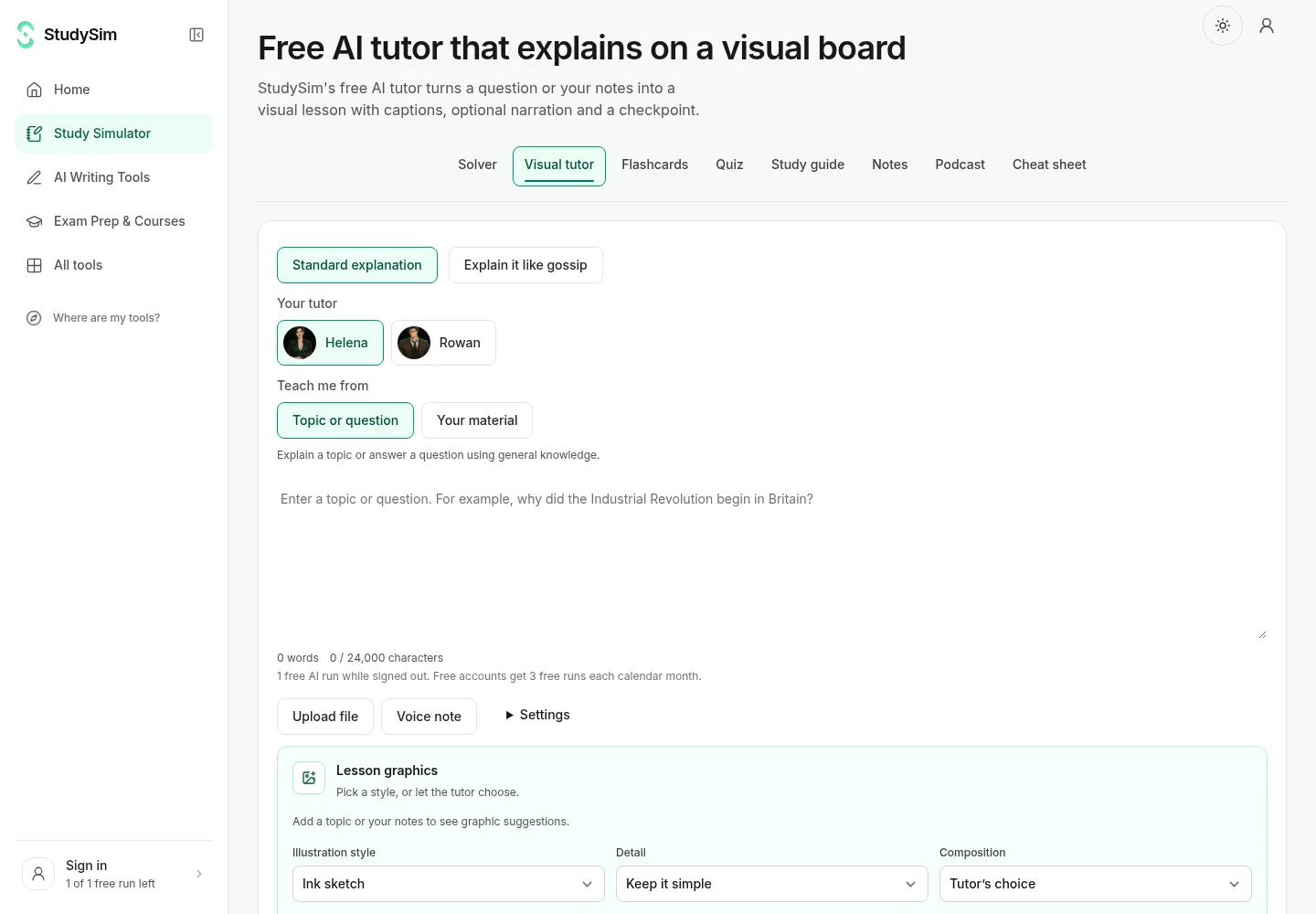
Enter a question, topic or notes and StudySim’s visual AI tutor will generate a lesson for you on an animated board. Lessons can also include captions, narration (optional) and a checkpoint question. Full disclosure: We make one of these products, StudySim, and have included it here because we believe it belongs on this list. You can paste notes or upload a document (PDF, PPTX, DOCX, TXT or Markdown files up to 3 MB).
Standout features
You can also type or record your question using your voice. Once the lesson plays, you can ask follow-up questions or tap part of the drawing to ask about it. StudySim’s explanations come in a variety of styles, including “explain it like gossip.” You can use these same notes to generate a practice quiz from your notes, turn a PDF into flashcards, or even build a study guide with the study guide generator.
| Pros | Cons |
|---|---|
| Visual lessons from your own notes or files | Free use is limited to 1 run signed out and 3 runs a month with a free account |
| Checkpoint question and tap-to-ask on the board | Generation time and visual quality vary by topic |
| Quizzes, flashcards and study guides in the same place | Not a live voice call or a general 3D simulator |
Pricing
StudySim Pro starts at $1 for 3 days (then $20 per month or $120 per year if you don’t cancel) and offers 50 runs per day across all of its tools. You can try the tutor free with no sign-up. Refer to StudySim pricing.
5. Knowt: best AI tutor for AP, SAT and ACT prep
What it does
Knowt is an AI-powered study app that combines features such as flashcard and note creation with AI-powered tools. Its Basic plan is free and comes with unlimited file creation, live collaboration, file storage and access to 5 million resources. Its paid Ultra plan adds an AI voice tutor on all files.
Standout features
Ultra also includes full access to AP, SAT and ACT prep, an AI summarizer for PDFs, videos, images and PowerPoint files, a lecture recording summarizer, an AI podcast generator and an ad-free experience.
| Pros | Cons |
|---|---|
| Generous free plan for study files | The AI voice tutor is an Ultra feature |
| AP, SAT and ACT prep on Ultra | Monthly Ultra is much pricier than annual |
| Summarizers and podcasts from your files | Refunds for iOS or Android purchases go through the app store |
Pricing
Knowt Basic is free. The Ultra plan is displayed as $7.99 per month, billed upfront at $95.99 a year, or you can pay $24.99 per month. Refer to Knowt plans.
6. Photomath: best AI tutor for math homework
What it does
Photomath is a math help app that allows users to scan a math problem (even word problems) or enter the problem into its smart calculator to get a step-by-step solution, sometimes with more than one method.
Standout features
Photomath’s homework help spans math topics from the elementary level through calculus and includes geometry, algebra, statistics and trigonometry.
| Pros | Cons |
|---|---|
| Step-by-step explanations on the free Basic plan | Math only |
| Scan problems, including word problems | You need the app to scan problems |
| Elementary math through calculus | Paid plans start with a trial, then bill monthly or yearly |
Pricing
Photomath Basic costs $0 and includes step-by-step explanations. The paid plan ($9.99 per month or $69.99 billed annually) includes custom visual aids and extra tips on the “how” and “why” of each step. Refer to Photomath. For a free step-by-step option, StudySim also has a math solver.
7. Tutor AI: best for custom courses on any topic
What it does
Tutor AI says it can build courses for users on any topic, from school subjects to languages to professional development. Tutor AI’s AI tutor will generate customized courses that include lessons, practice quizzes, flashcards and other study aids.
Standout features
Tutor AI’s homework helper feature allows users to upload a homework question and get a step-by-step solution with clear explanations, and you can track your progress with analytics.
| Pros | Cons |
|---|---|
| Builds a whole course, not just one answer | Courses are AI-generated |
| Free plan with no card required | The free plan comes with limited support |
| Lessons, quizzes and flashcards together | Spaced repetition dashboard is on the top plan |
Pricing
Tutor AI has a free plan with no payment required, while its Mentor plan ($13.33 per month, billed annually) and Genius plan ($17.50 per month, billed annually) offer more features, such as a flashcard and spaced-repetition dashboard. Refer to Tutor AI pricing.
8. Claude: best for universities with learning mode
What it does
Anthropic’s Claude for Education offers a Learning mode that Anthropic says encourages deeper learning and critical thinking instead of simply giving students answers. Claude’s Learning mode is available for use within Claude’s Projects feature, which allows students to organize their schoolwork into topic- or assignment-specific projects.
Standout features
Learning mode incorporates Socratic questioning, meaning Claude will guide students’ thinking by asking questions such as, “What evidence supports your conclusion?” Anthropic lists academic research and learning mode as part of its university-wide Education plan.
| Pros | Cons |
|---|---|
| Learning mode is designed to build critical thinking | Learning mode is listed for the institution-wide Education plan |
| Works within Projects for each assignment | Not a dedicated K-12 tutor |
| Free plan for everyone | Claude for Education starts with an online interest form |
Pricing
Claude is free for everyone. Claude Pro costs $17 per month with an annual subscription ($200 billed up front) or $20 billed monthly. See Claude pricing and Anthropic's Claude for Education announcement.
How to pick the best AI tutor for you

We recommend starting with one of the options above based on what kind of help you need, trying out its free plan (if available) and deciding whether or not to upgrade to its paid version after a week or so.
| If you need... | Start with | Why |
|---|---|---|
| Guided practice for a K-12 student, with parent oversight | Khanmigo | Guides to the answer; parents can view chat history |
| A free tutor for college classes | ChatGPT study mode | Available on the Free plan; works from your PDFs |
| Help inside Google tools | Gemini Guided Learning | Free plan; study guides from your course files |
| A visual explanation of your own notes, then a quiz | StudySim visual tutor | Animated board plus quiz, flashcard and study guide tools |
| AP, SAT or ACT prep | Knowt | Full AP, SAT and ACT prep on Ultra |
| Math homework | Photomath | Free step-by-step explanations |
| A new topic from scratch | Tutor AI | Generates a full course |
Whichever tutor you pick, use it the way a good tutor would want you to. Ask it for hints and questions, not the final answer. Explain the idea back in your own words. Then test yourself later without the tutor, because retrieval is what makes it stick; our guide to active recall explains why. If you want practice questions after a session, compare options in our roundup of the best AI quiz generators, or take a full-length exam from the free practice test library, such as an SAT practice test.
Free printable AI tutor checklist
We made a two-page printable checklist to go with this list: a picker table, a before-and-during session checklist, a self-test log and a two-week keep-or-switch check. Download the AI tutor checklist (PDF) and keep it next to your laptop for your next session.
What changed this month: this list was first published on November 3, 2026, with prices checked that day. We will recheck prices and the order each month and note real changes.
FAQ
What is the best AI tutor?
It depends on who it is for. Khanmigo is a strong pick for K-12 students because it guides them to the answer, ChatGPT study mode and Gemini Guided Learning are free options for any subject, and Photomath is the pick for math homework.
Is there a free AI tutor?
Yes. ChatGPT study mode is available on the Free plan, Gemini has a free plan, Photomath Basic is $0, and StudySim's free AI tutor gives 1 run without an account and 3 runs a month with a free account.
Can an AI tutor replace a human tutor?
Not fully. A well-designed AI tutor can help: in a Harvard physics trial, students using a custom AI tutor had median learning gains over double those of an in-class active learning group. But AI can make mistakes, so check facts against your class materials and ask a teacher when something does not add up.
How much does Khanmigo cost?
Khanmigo costs $4 a month or $44 a year for learners and families, and it is free for teachers, as of November 3, 2026.
How do I use an AI tutor without cheating?
Ask for hints and guiding questions instead of the final answer, try each step yourself, and explain the idea back in your own words. Follow your school's AI policy, and use the tutor to understand the work rather than to write it for you.
About the author
Jozef Gherman is the founder of XYZAI, the company behind StudySim, where he builds AI tools that help students and writers study smarter and write with confidence. He writes about study techniques, exam prep, and practical ways to use AI for learning.