
Best Study Apps (November 2026): Free and Paid, Ranked
The best study apps for most students are Anki for free flashcards with spaced repetition, Quizlet for ready-made study sets, Knowt for a free all-in-one flashcard and notes app, and Gemini Notebook (formerly NotebookLM) for studying from your own sources. Add Notion or Goodnotes for notes and Forest for focus. StudySim is our product and is included in the list where we honestly believe it belongs.
Updated October 31, 2026. Prices were checked on official pricing pages and App Store listings on that date.
| Use case | App | Price from |
|---|---|---|
| Free flashcards with spaced repetition | Anki | Free on computer and Android; AnkiMobile for iOS is $24.99 |
| Premade flashcard sets | Quizlet | Free account; Quizlet Plus in-app purchases listed at $9.99 and $44.99 |
| Free all-in-one study app | Knowt | Free; Ultra $7.99/month billed $95.99 a year |
| Studying from your own sources | Gemini Notebook (NotebookLM) | Standard plan with up to 50 sources per notebook |
| Practice quizzes from your notes or a PDF | StudySim | Free tools; Pro $1 for 3 days, then $20/month or $120/year |
| Organizing classes and assignments | Notion | Free; free Education Plan for eligible students |
| Handwritten notes and PDF markup | Goodnotes | Free for up to 3 files; Essential $11.99/year |
| Staying off your phone | Forest | Free with in-app purchases |
Try the Visual tutor
How we picked the best study apps

We’ve organized apps by purpose, because no one app does everything a student might want. Different apps are better for different use cases, so we’ve split our top picks into categories, based on their primary use case (creating/reviewing flashcards, taking notes, learning from your own course materials and improving focus/distraction management). We also paid special attention to what features are offered for free (compared to paid plans/pricing), supported platforms and evidence-based study techniques.
According to an Association for Psychological Science review summarizing research on ten different learning techniques, some techniques such as practice testing and distributed practice (spacing your learning sessions out over time) were found to be high utility strategies for learning, while other techniques like rereading or underlining were found to be low utility techniques. In a classic test-enhanced learning experiment, for example, students who took recall tests remembered significantly more of the material a week later than did students who simply reread the same material. Apps that encourage evidence-based learning techniques (like actively testing your knowledge on a spaced schedule) were given preference over apps that focus more on other activities (like passively storing information).
Quick note: we didn’t run a hands-on test of the study apps below, paid or otherwise. All features/pricing are subject to change, so always recheck current details/pricing with the vendor before making any purchases. (We should also mention that we make StudySim, so take its review accordingly.)
Best study apps compared

TL;DR, in most cases you’re likely to find that one notes app, one flashcard app and one app for managing your focus/distractions will likely suit your needs just fine (rather than five apps that all somewhat overlap with each other).
| App | Best for | Free tier | Paid price (checked Oct 31, 2026) | Platforms | Standout |
|---|---|---|---|---|---|
| Anki | Spaced repetition flashcards | Free computer version, free AnkiDroid, free AnkiWeb sync | AnkiMobile (iOS) $24.99 | Windows, macOS, Android, iOS | Open source |
| Quizlet | Premade study sets | Free account with flashcards, practice questions and diagrams | Quizlet Plus in-app purchases listed at $9.99 and $44.99 | Web, iOS | Learn, Test and Study Guides on paid plans |
| Knowt | Free all-in-one study files | Unlimited file creation, live collaboration and storage | Ultra $7.99/month billed $95.99 a year, or $24.99 monthly | Web; subscriptions also sold on iOS and Android | AP, SAT and ACT prep on Ultra |
| Gemini Notebook (NotebookLM) | Studying from your own sources | Standard plan, up to 50 sources per notebook | Higher limits through Google AI Plus and Google AI Pro | Web and app | Flashcards, quizzes and Audio Overviews from your sources |
| StudySim | Quizzes and flashcards from your notes or PDFs | 2 runs signed out; 8 runs a month with a free account | $1 for 3 days, then $20/month or $120/year | Web | Study guides, quizzes, flashcards and study podcasts per course |
| Notion | Class dashboards and planning | Free plan; free Education Plan for eligible students who verify a school email | Plus $10 per seat/month | Web, desktop, mobile | All-in-one workspace |
| Goodnotes | Handwritten notes and PDF markup | Up to 3 files | Essential $11.99/year; Pro $35.99/year | iOS/iPadOS, Mac, Windows, Android, Web | Handwriting experience |
| Microsoft OneNote | Free typed and handwritten notes | Free app | Microsoft 365 Personal in-app purchase $9.99 | PCs, Macs, phones and tablets | Digital ink for sketching and annotating |
| RemNote | Notes and flashcards in one | Unlimited notes and flashcards, 3 annotated PDFs | Pro $8/month ($96/year); Pro with AI $18/month ($216/year) | Desktop, iOS, Android | Spaced repetition and an exam scheduler |
| Forest | Focus sessions | Free with in-app purchases | Monthly (Early Bird) $5.99; Annual (Early Bird) $35.99 in the App Store | iOS (App Store listing) | A virtual tree grows while you focus |
1. Anki: best free study app for flashcards
Anki is a powerful flashcard app that leverages a highly-effective (research-backed) spaced repetition system (SRS) to help you commit information to memory (by resurfacing information at just the right time, when you’re on the verge of forgetting it, also known as distributed practice). While Anki’s interface leaves a bit to be desired aesthetically, it more than makes up for this with powerful flashcard review and authoring features (plus you can download pre-created flashcard “decks” made by other users). Anki is free on AnkiDroid (Android), as well as on Windows/Mac/Linux (with syncing provided for free via Anki’s AnkiWeb offering). The iOS app, AnkiMobile is a one-time $24.99 purchase, to support development efforts.
The trade-off is setup. Anki looks plain, and you will either make your own cards or import shared decks. If you’re new to card writing, our how to make flashcards guide should help you understand some of the rules a deck needs to follow to be worth a look.
| Pros | Cons |
|---|---|
| Free on computer and Android, with free sync | The iOS app costs $24.99 |
| Open source spaced repetition | Plain design and a learning curve |
2. Quizlet: best for ready-made study sets
Quizlet is a popular flashcard app for High-School/University students, with a repository of pre-built flashcard decks (created by other students). Quizlet offers a free plan (including access to activities, diagrams, flashcards and practice questions) as well as a paid Quizlet Plus plan (offering extra features, like Practice Tests, Test, Study Guides, Expert Solutions and Learn), available as an in-app purchase ($44.99/$9.99) via the App Store. Bear in mind that pre-created Quizlet flashcard decks can vary in quality (as they were made by your fellow students), so we always recommend comparing them with your own lecture/class notes, just to be safe.
Premade sets save time, but check them against your own notes, since anyone can publish one. If the paid version is the issue, then check out our list of Quizlet alternatives to see what’s free.
| Pros | Cons |
|---|---|
| Free flashcard sets you can make and share | Learn, Test and Study Guides sit on paid plans |
| Free flashcards, practice questions and diagrams | Paid plans renew automatically |
3. Knowt: best free all-in-one study app
Knowt is an app that combines file creation and collaboration. Its (generous) free (Basic) plan includes unlimited storage (collaboration/files), as well as access to its content library (containing ~5 million study resources). Its paid (Ultra) plan ($95.99 billed upfront (annually) for $7.99 per month or $24.99 per month (month-to-month)), unlocks ad-free usage, AI-powered summarization of slides/images/videos/PDFs, access to ACT/SAT/AP test prep content, a lecture recording summarizer and its AI-powered voice tutor.
| Pros | Cons |
|---|---|
| Unlimited file creation on the free plan | Ad-free use is an Ultra feature |
| AP, SAT and ACT prep on Ultra | The monthly Ultra plan costs much more than annual |
4. Gemini Notebook (formerly NotebookLM): best for studying from your own sources
Google’s NotebookLM (recently renamed Gemini Notebook in July 2026, though it’s essentially the same app, with your existing notebooks still intact) lets you upload your own lecture/class notes (up to 50 sources per notebook on the standard plan; Google AI Plus doubles the usage limits and raises the cap to 100 sources), and pose questions about its contents, receiving sourced/cited responses. You can also transform your uploaded sources into mind maps, Audio Overviews, flashcards and quizzes, making it a strong study assistant for long readings.
| Pros | Cons |
|---|---|
| Answers cite your own sources | Usage limits on the standard plan |
| Flashcards, quizzes and Audio Overviews from your material | Higher limits need a Google AI plan |
5. StudySim: best for practice quizzes from your notes (we make it)
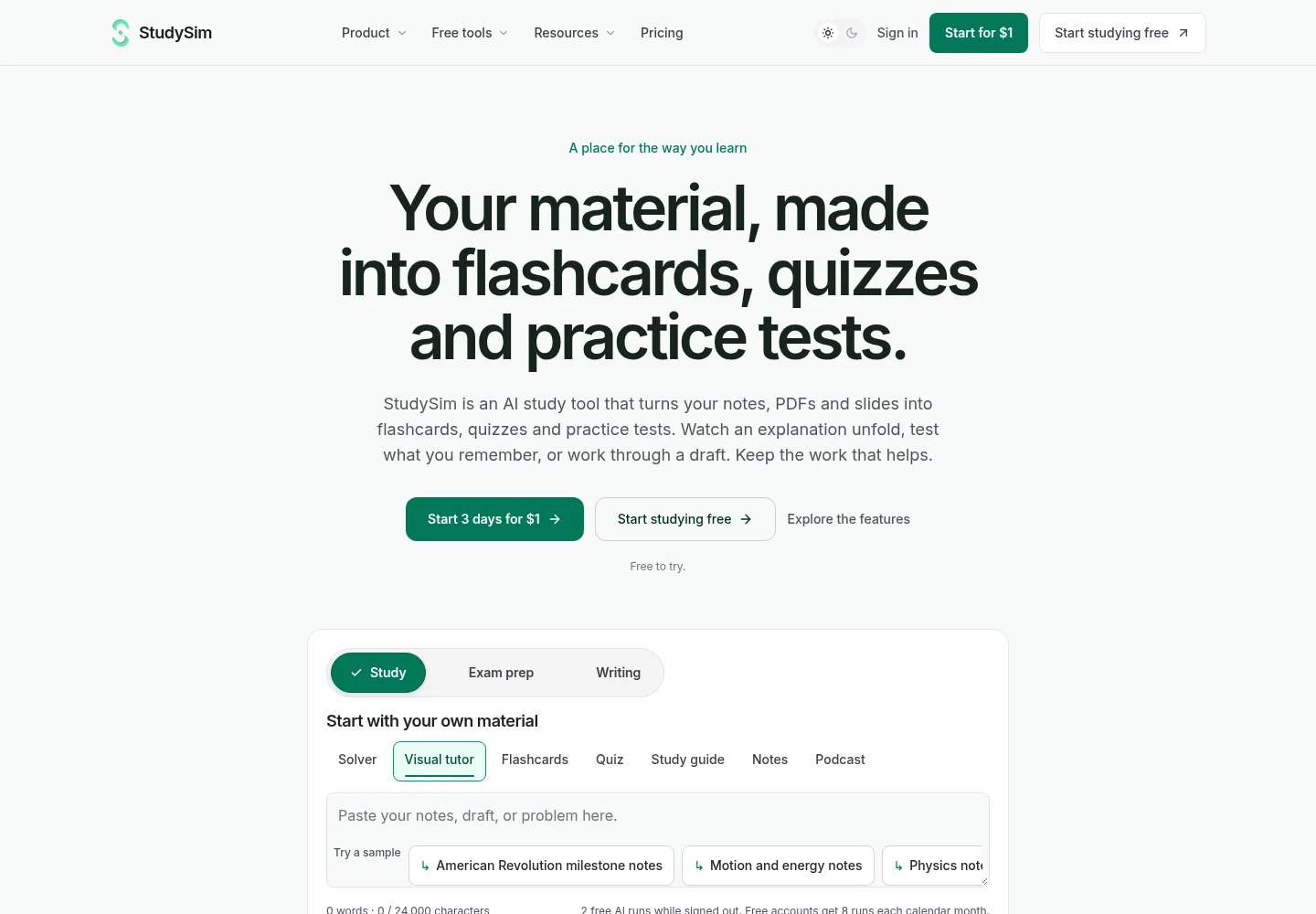
StudySim is our own app, so weigh this entry accordingly. StudySim is an AI-powered learning app, helping you learn from your own lecture/class notes, slides or PDFs (by automatically generating practice questions, flashcards and even podcasts, among other things). The free PDF to flashcards generator is able to take in a PDF or your notes and will create eight question-and-answer cards. The free AI quiz generator can be used to generate a five-question practice quiz (with answers and explanations included). You can try it out for free (without an account, you get 2 free generations, with an account you get 8 generations per month).
StudySim Pro ($1 for the first 3 days, then $120 per year (billed annually) or $20 per month (month-to-month), unless you cancel)), lets you combine up to 15 sources into a “course”, and generates comprehensive study guides, flashcards, podcasts (with 2 distinct AI voices), as well as written and multiple-choice quizzes/exams. StudySim is not a handwriting app or a focus timer, and the free tools have tight usage limits, so most students pair it with a notes app. Or you can check out the study guide generator or browse free practice tests.
| Pros | Cons |
|---|---|
| Free flashcard and quiz tools with no sign-up | Free tools have usage limits |
| Practice quizzes built from your own material | A credit card is required for Pro |
6. Notion: best for organizing your classes
Notion is an all-in-one workspace that you can use to take notes and build dashboards for each of your courses (staying on top of assignments/deadlines and organizing your notes, within a single app). It offers a generous Free plan (note: file uploads are limited to 5 MB (each), on the Free plan), as well as a (free) Education Plan (for one workspace per eligible student, verified with a school email) and a paid Plus plan ($10 per seat per month).
| Pros | Cons |
|---|---|
| Free Education Plan for eligible students | File uploads capped at 5 MB on the Free plan |
| Flexible pages for notes and planning | Plus costs $10 per seat a month |
7. Goodnotes: best for handwritten notes
Goodnotes is a note taking app that excels at digitizing handwriting (even letting you handwrite directly on top of PDFs, perfect for annotating lecture slides/materials). It’s available on iPadOS/iOS, Android, Windows, Mac and via the web. Its free plan is somewhat limited (up to 3 notes/files, in total), but its paid Essential ($11.99 per year, for unlimited audio recording and files) and Pro plans ($35.99 per year, adding cross-platform syncing of your entire library and collaboration), offer 7-day free trials.
| Pros | Cons |
|---|---|
| Strong handwriting and PDF markup | Free plan is limited to 3 files |
| Low yearly price for Essential | Advanced AI costs extra |
8. Microsoft OneNote: best free note-taking app
OneNote is Microsoft’s free note taking app, offering a familiar interface (if you’re already using Microsoft 365 at school), for taking handwritten/typed notes (with highlighting/diagrams/digital ink support) that is available on Windows PCs, iPads/other tablets, Macs and mobile phones.
| Pros | Cons |
|---|---|
| Free app on most devices | Microsoft 365 Personal is a separate $9.99 in-app purchase |
| Typed and handwritten notes together | Microsoft 365 subscriptions renew automatically |
9. RemNote: best for notes and flashcards in one place
RemNote is a unique app, combining notes and flashcards (with spaced repetition, for scheduling reviews) into a single solution, even including an exam scheduler. Its Free plan is quite generous (offering unlimited notes and flashcards, as well as 3 PDFs with annotations), with more expansive paid Pro ($96 per year (billed annually) for $8 per month) and Pro with AI ($216 per year (billed annually) for $18 per month), plans available. It’s available as mobile (Android/iOS) and desktop apps.
| Pros | Cons |
|---|---|
| Flashcards made straight from your notes | Only 3 annotated PDFs on the free plan |
| Exam scheduler and spaced repetition | Pro with AI costs $18 a month |
10. Forest: best study app for focus

Forest is a cute pomodoro technique-inspired app that grows a tree while you’re focused (which withers/dies if you leave the app to use others). It’s free to download (with in-app purchases/subscriptions, offering monthly and annual subscription options), and claims to use proceeds to plant actual trees (with the non-profit Trees for the Future).
| Pros | Cons |
|---|---|
| Simple way to stay off your phone | Subscriptions are sold as in-app purchases |
| Free to download | Extra features sit behind in-app purchases |
Best study apps for college students and best free study apps
College typically entails more courses (per student) and often lengthier/more complex reading, making source-based learning apps particularly worthwhile. A simple college setup is Notion or OneNote for notes and deadlines, Anki or Knowt for flashcards, and Gemini Notebook or StudySim to turn readings into questions. If you’re after a completely free solution, consider using Anki (on the desktop), OneNote, Knowt’s (generous) Basic (free) plan, and the free offering from apps like Forest. Want to know more about your AI options? Read our complete guide to AI study tools.
How to pick the right study app

Whichever apps you opt for, we recommend starting with the one addressing your most pressing learning need (instead of simply picking the most feature-packed one), giving each app you add some time (at least a couple of weeks) to assess its effectiveness for you, and (perhaps counterintuitively) using them to quiz yourself (instead of simply re-reading your notes).
| If you need to... | Start with | Why |
|---|---|---|
| Memorize terms for weeks | Anki or RemNote | Spaced repetition schedules your reviews |
| Study a class others have already taken | Quizlet or Knowt | Shared sets and resources to browse |
| Test yourself on your own notes or a PDF | StudySim or Gemini Notebook | Quizzes and flashcards from your material |
| Write notes by hand | Goodnotes or OneNote | Handwriting and PDF markup |
| Plan classes and deadlines | Notion | Dashboards and task lists in one workspace |
| Stop checking your phone | Forest | A focus timer with a reason to stay put |
Whatever you pick, use it to quiz yourself rather than to reread. Decide which app to use for each task (our how to study effectively guide will help you plan sessions).
Download the free Study App Stack Planner (PDF)
FAQ
What is the best study app for students?
For most students, Anki is the best free flashcard app, Quizlet is best for premade sets and Knowt is the best free all-in-one option. Pair one of them with a notes app such as Notion, OneNote or Goodnotes.
What are the best study tools for university students?
A spaced repetition flashcard app such as Anki, a notes app such as Notion or OneNote, and a source-based tool such as Gemini Notebook or StudySim that turns readings into practice questions.
What are the best free study apps?
Anki on computer and Android, Knowt's Basic plan, Microsoft OneNote and Notion's free Education Plan for eligible students. Forest is also free to download.
Do study apps actually help?
They help when they make you test yourself and space your reviews. A major review of learning techniques rated practice testing and distributed practice high utility, while rereading and underlining were rated low utility.
Is Quizlet still free?
Yes. A free Quizlet account includes flashcards, practice questions, interactive diagrams and activities. Learn, Test, Study Guides and Expert Solutions are part of the paid plans.
About the author
Jozef Gherman is the founder of XYZAI, the company behind StudySim, where he builds AI tools that help students and writers study smarter and write with confidence. He writes about study techniques, exam prep, and practical ways to use AI for learning.