Study guides
Turn notes into a study guide you can test yourself on
Turn notes into a study guide without starting from a blank page. Paste your material or upload a file, and StudySim writes a focused guide with three self-check questions at the end.
Try the Study guide generator
Free to try. Sign in to save your result.
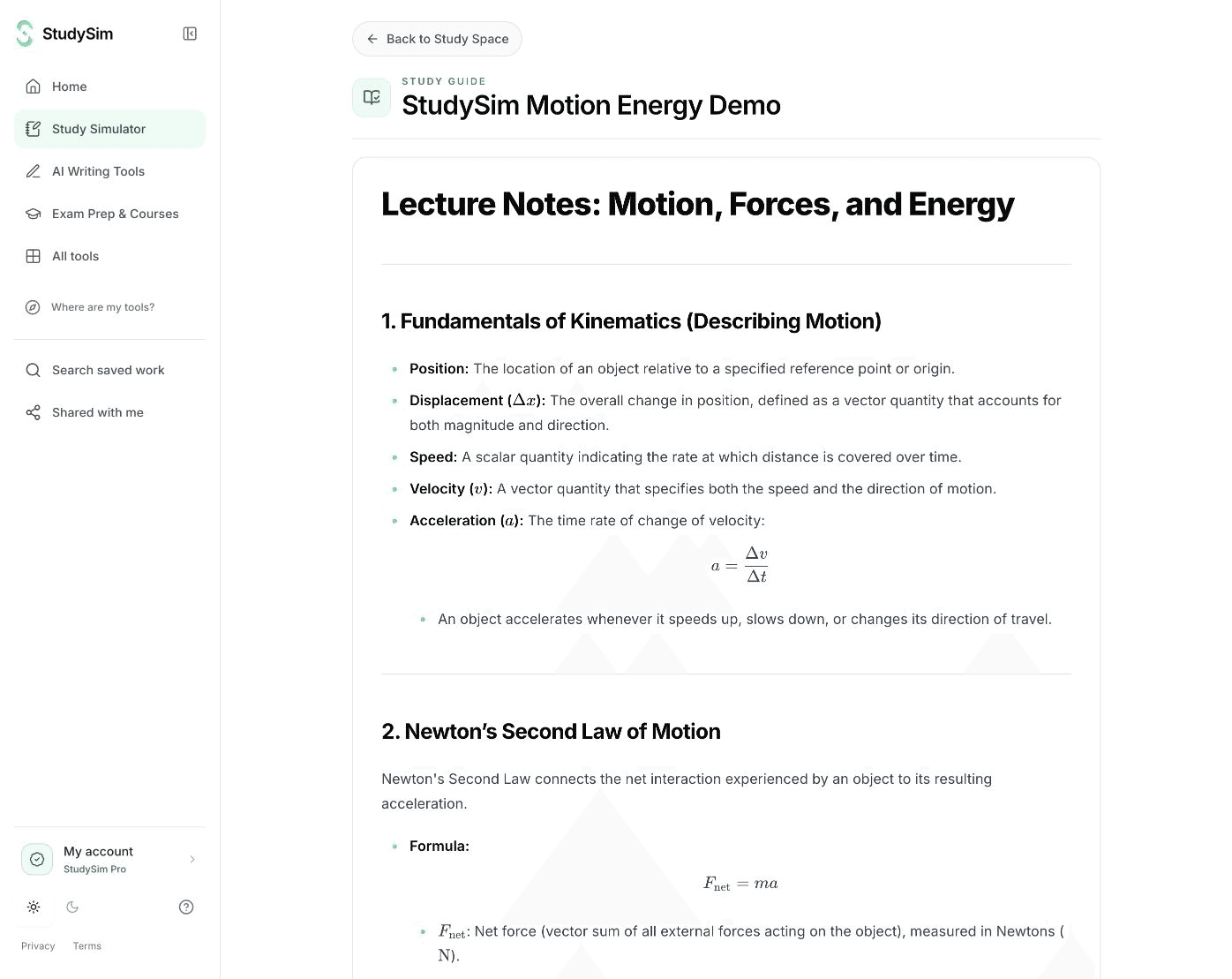
What you get
A concise source-based guide and three self-check questions in the free tool. Pro course generation can work with ready materials kept together in a course.
From your material to your next step.
Follow an exampleBring a topic worth organizing
Paste your notes or review the text extracted from a supported document.
Read the structure
Use the guide to see the major ideas and how they connect before working through the details.
Check what stuck
Try the self-checks, then save the guide or make a quiz from the material.
Make it part of the way you work.
First-pass review
Get an organized starting point for a topic that is spread across rough notes.
Course review
Keep sources and saved outputs together when you need a place to return throughout the term.
Start here. Save what helps.
Try it free, no sign-up needed. Sign in to save a result to a course. Go Pro to build study sets from everything in a course.
Compare free and ProKnow the scope
Paste text or upload a PDF, Word, PowerPoint or text file (up to 3 MB). Photos and scanned PDFs won't work.
A few useful details.
Can I turn my notes into a study guide for free?
Yes. A full guide with its three self-check questions is free to make without an account. Signing in lets you keep it in a course, since anonymous results expire after 24 hours. Usage limits apply across the AI tools.
Can I make a study guide from a PDF?
Yes, as long as the PDF has selectable text. Upload a PDF up to 3 MB, review the extracted text, then generate. Scanned PDFs and photos aren't supported. For a shorter reference, a cheat sheet pulls out key concepts, formulas and common mistakes.
Can I turn PowerPoint slides into a study guide?
Yes. Upload a PPTX file up to 3 MB and StudySim works from the slide text. The guide only uses text the tool can read, so check the extracted text before you generate.
Can I make a study guide from pictures?
No. The tool works from typed or pasted text and from text in supported documents. It doesn't read photos or scanned pages, so type the key points out or upload a text-based file. Once the guide is ready, quiz yourself on it.
Keep going.
All featuresStudy notes
Organize source material into readable notes and review prompts. Use a straightforward explanation or choose a supported conversational style before generating.
Quizzes
Create a short quiz from your own study material. Choose your answers, check the result, and read the explanation behind each question.
Cheat sheets
Make a compact reference from your study material. Bring key concepts, formulas, and common mistakes into a format you can scan while reviewing.