Study podcasts
Take the review with you.
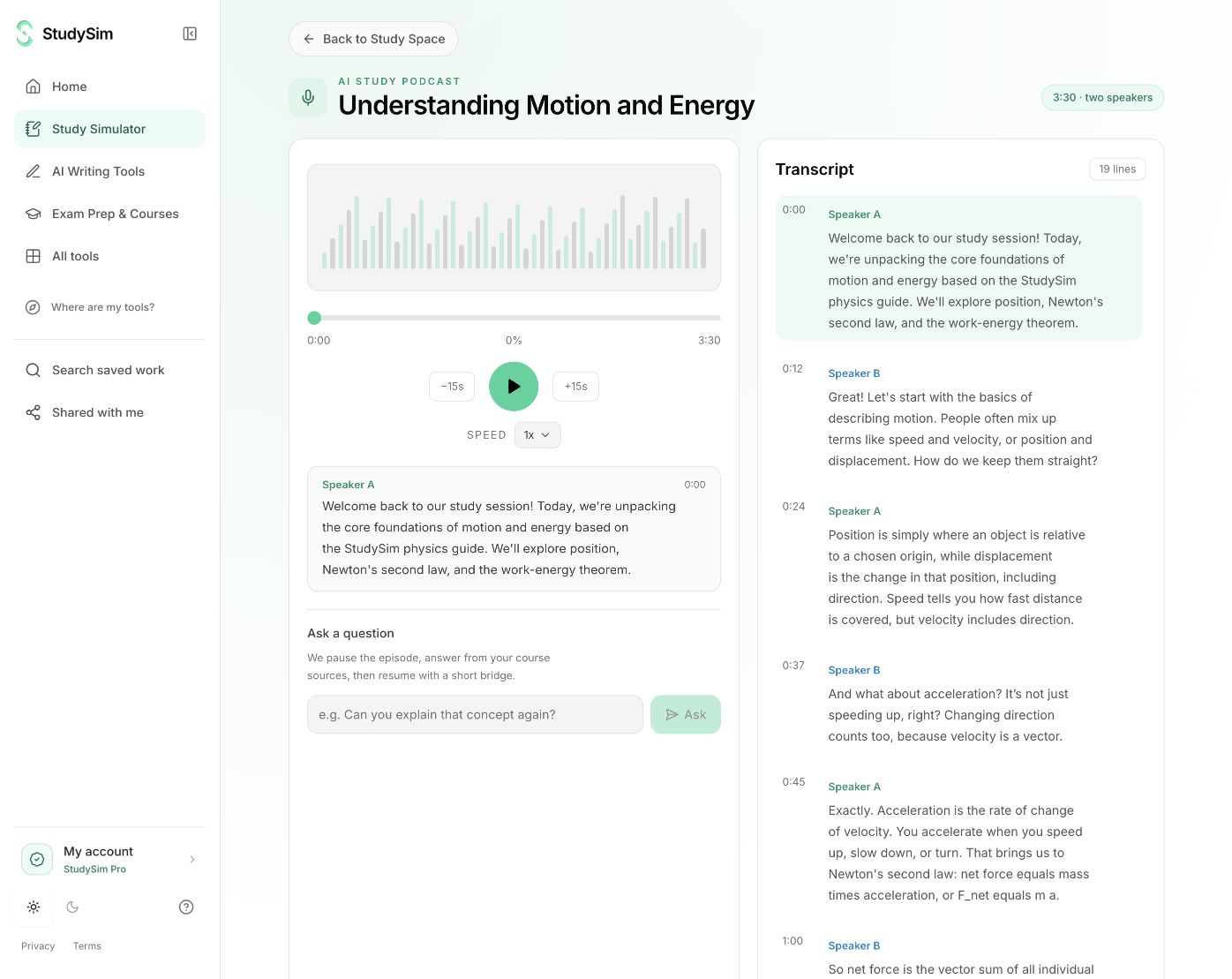
Turn your material into a short narrated study review with a transcript. Listen when reading another page is not the way you want to review.
Try a complete bounded result. Sign in when you want to save it.
What you get
A short narrated review and transcript from the quick tool. Existing Pro course podcasts support the course workflow and its voice and length controls.
From your material to your next step.
Choose the material
Submit a focused set of notes or use ready materials from an owned course in the course workflow.
Create the review
Review the source and choose a supported style before generating the audio.
Listen and revisit
Use playback controls and the transcript, and save a useful result to a course.
Make it part of the way you work.
An audio review
Listen to the topic while walking or taking a break from reading.
Follow the transcript
Return to a sentence you want to read again instead of relying on memory of the audio.
Start here. Save what helps.
Try a complete small result before signing up. AI tools share a daily browser allowance and show their input limits before submission. Sign in when you want to save a useful result to a course. Pro course generators have their own existing access and allowances.
See the current free and Pro offerKnow the scope
The quick tool creates a short bounded review. Course podcast controls and generation allowances are separate. This is generated study audio, not live tutoring or a real-time conversation.
Open the standalone toolA few useful details.
Does it include a transcript?
Yes. The quick study podcast includes a transcript alongside its audio player.
Can I use gossip style?
Gossip style is available for supported podcast requests. It changes the presentation while the material remains the grounding for the review.
Keep going.
All featuresGossip-style explanations
Choose a lively, conversational study analogy while keeping the explanation grounded in your material. Gossip style changes the telling, so the lesson has another way to hold your attention.
Study Simulator
Use a tool for the task in front of you, or open a course to work with the material you have already saved. Study Simulator brings both paths together.
Study notes
Organize source material into readable notes and review prompts. Use a straightforward explanation or choose a supported conversational style before generating.