AI writing detector
Are AI detectors accurate? Read the score with its limits
Are AI detectors accurate enough to settle who wrote something? No detector can prove that. StudySim's AI writing detector gives a passage a score from 0 to 100, where a higher score means the provider is more likely to flag it as AI-generated, and treats that score as one signal to review.
Try the AI writing detector
Free to try. Sign in to save your result.
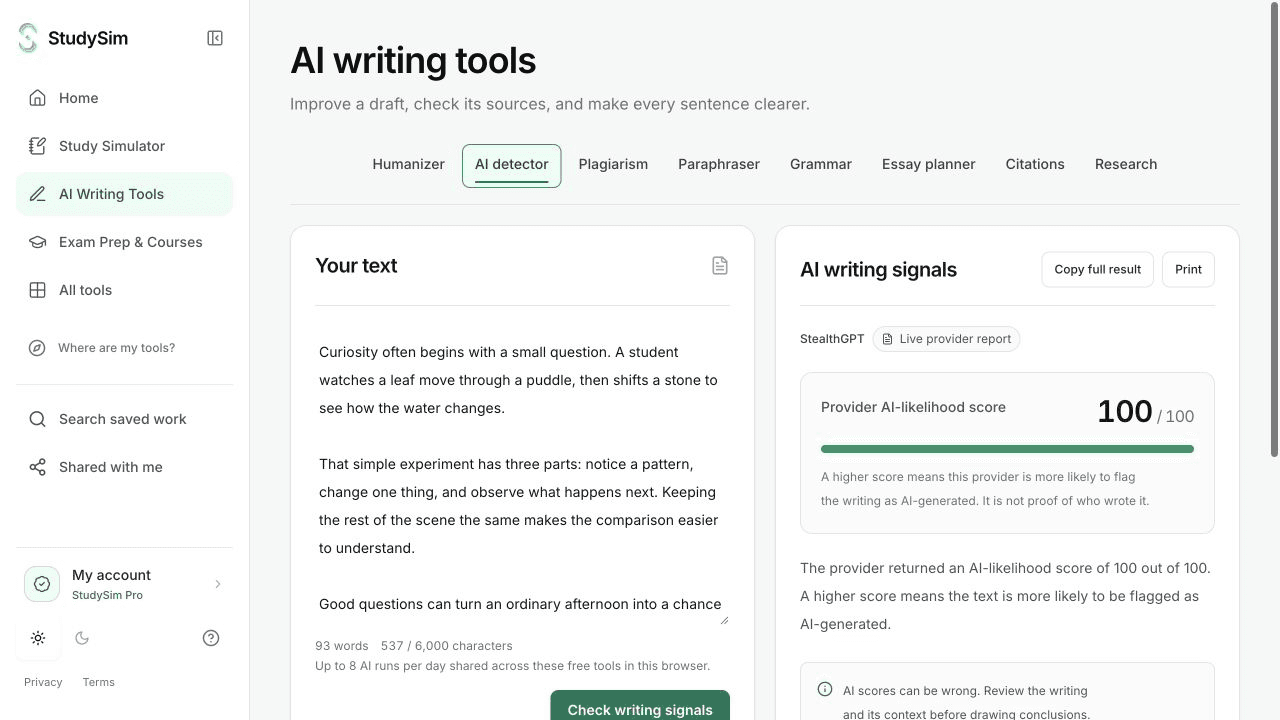
What you get
A provider AI-likelihood score, a readable summary, and an explanation of the report’s scope.
From your material to your next step.
Follow an exampleChoose the exact passage
Paste the text you want checked. If you just rewrote it, use the revised text before starting the check.
Request the report
Select Check writing signals and your report appears.
Interpret it carefully
Read the score, summary, and limitations together. Use other evidence and your own review.
Make it part of the way you work.
A review signal
Use the score as one clue in a wider review of the writing.
Understand the scope
Read the uncertainty rather than treating a percentage as a definitive authorship label.
Start here. Save what helps.
Try it free, no sign-up needed. Your draft stays put when you switch tools, and each tool keeps its own result.
Compare free and ProKnow the scope
AI detectors can be wrong. This report cannot prove authorship, copying, or misconduct and should not be the sole basis for an academic or employment decision.
A few useful details.
Can an AI detector be wrong?
Yes. AI scores can be wrong. A detector can flag writing a person wrote, and short or highly templated writing may be misclassified. StudySim's score is a probabilistic writing signal, not proof of authorship or misconduct, so review the writing and its context before you draw a conclusion.
Why do AI detectors give different results?
Each detector uses its own model, training data and thresholds, so the same passage can score differently from one tool to the next. StudySim runs the check through a detection service. Treat any single number as one input, not the final word. You can run a passage through the AI writing detector.
Is 20% AI detection bad?
It depends on the tool, because the number means different things. In StudySim the score runs from 0 to 100 and shows how likely the provider is to flag the text as AI-generated. It isn't the share of your text an AI wrote, and StudySim doesn't set a pass or fail line. Read the score with the summary and limitations shown next to it.
How can AI detectors tell if text is AI?
Many detectors look for statistical patterns in wording, such as how predictable each word choice is, and compare them with patterns from human and machine writing. That's why they report a likelihood, not a certainty. StudySim runs the check through a detection service and shows the 0 to 100 score it returns.
Are AI detectors accurate for academic writing?
Use care. Academic writing is often formal and follows set patterns, and templated text can be misclassified. A score shouldn't be the only basis for an academic decision. If you're checking your own work, keep your drafts, and use a similarity checker for a separate question: whether your text matches public web pages.
Keep going.
All featuresAI writing tools
Revise a passage, check grammar, review writing signals, look for web matches, or work on references. Keep your draft in view while each tool gives you its own result.
Natural writing editor
Make a bounded natural-language rewrite. Review the wording alongside your original, with paragraph breaks and supported list structure carried through the request.
Web similarity checker
Compare a passage against public web sources through Copyscape. Read the reported similarities and open the available source links before drawing a conclusion.