Unlimited requests with StudySim Pro
Start 3 days for $1AI tutor that explains on a visual board
StudySim's AI tutor turns a question or your notes into a visual lesson that teaches from them, then quizzes you with a checkpoint.
$1 for your first 3 days, then $20/month or $120/year unless you cancel. Trial includes 5 AI actions per day. Resets at midnight UTC. Cancel from your account at any time.
Visual tutor examples
Explore a prepared example, follow the steps, and try the controls.
American historyRead tutorial
PhysicsRead tutorial
PhysicsRead tutorial
BiologyRead tutorial
GrammarRead tutorial
Unlimited requests with StudySim Pro
- Unlimited requests
- Full course study tools
- Study guides
- Notecards
- Quizzes
- Podcasts
- Upload up to 15 sources per course
- Cancel anytime from your account
$1 for your first 3 days, then $20/month or $120/year unless you cancel. Trial includes 5 AI actions per day. Resets at midnight UTC. Cancel from your account at any time.
StudySim AI tutor at a glance
- StudySim is an AI study workspace from XYZAI, Inc.
- The AI tutor turns a question or your notes into a visual lesson with captions, optional narration and a checkpoint question.
- You can upload PDF, DOCX, TXT, Markdown or PPTX files, up to 3 MB each, or paste a topic, question or notes.
- Tap part of the drawing to ask about it, or ask a follow-up question.
- Sign in to run one lesson. More lessons need StudySim Pro, $1 for your first 3 days.
- Pro builds study guides, flashcards, quizzes and podcasts from everything in a course.
- Try StudySim Pro: $1 for your first 3 days, then $20/month or $120/year unless you cancel. Trial includes 5 AI actions per day. Resets at midnight UTC. Cancel from your account at any time.
How StudySim's AI tutor compares
| Tool | Works from your own notes or files | Guides, flashcards and quizzes in one place | Price (checked 2026-10-30) |
|---|---|---|---|
| StudySim AI tutor (ours) | Yes, paste notes or upload PDF, DOCX, TXT, Markdown or PPTX | Yes, with Pro in a course | One run after sign-in; Pro $1 for 3 days, then $20/month or $120/year |
| ChatGPT | Yes. File uploads listed (limited on the Free plan) | Study mode listed. Combined guides, flashcards and quizzes not listed | Free plan. Paid Go, Plus and Pro plans (dollar amounts not shown on the page) |
| Khanmigo | Tutoring uses Khan Academy content. Your own notes or file uploads are not listed on this page | Combined guides, flashcards and quizzes not listed | $4/month or $44/year for parents and learners. Free for teachers |
| Quizlet | Not listed on this page | Personalized study modes and Expert Solutions listed | Paid Plus plan, billed yearly. Dollar amount not shown on the upgrade page |
| Knowt | Yes. File creation listed on the free and Ultra plans | AI file tools and exam prep listed | Ultra $24.99/month or $95.99/year billed upfront. 3-day free trial on the annual plan |
Visual tutor in StudySim
Watch the explanation take shape.
An animated board with narration, synchronized captions, a short checkpoint, and questions you can ask about the explanation.
Explore visual tutor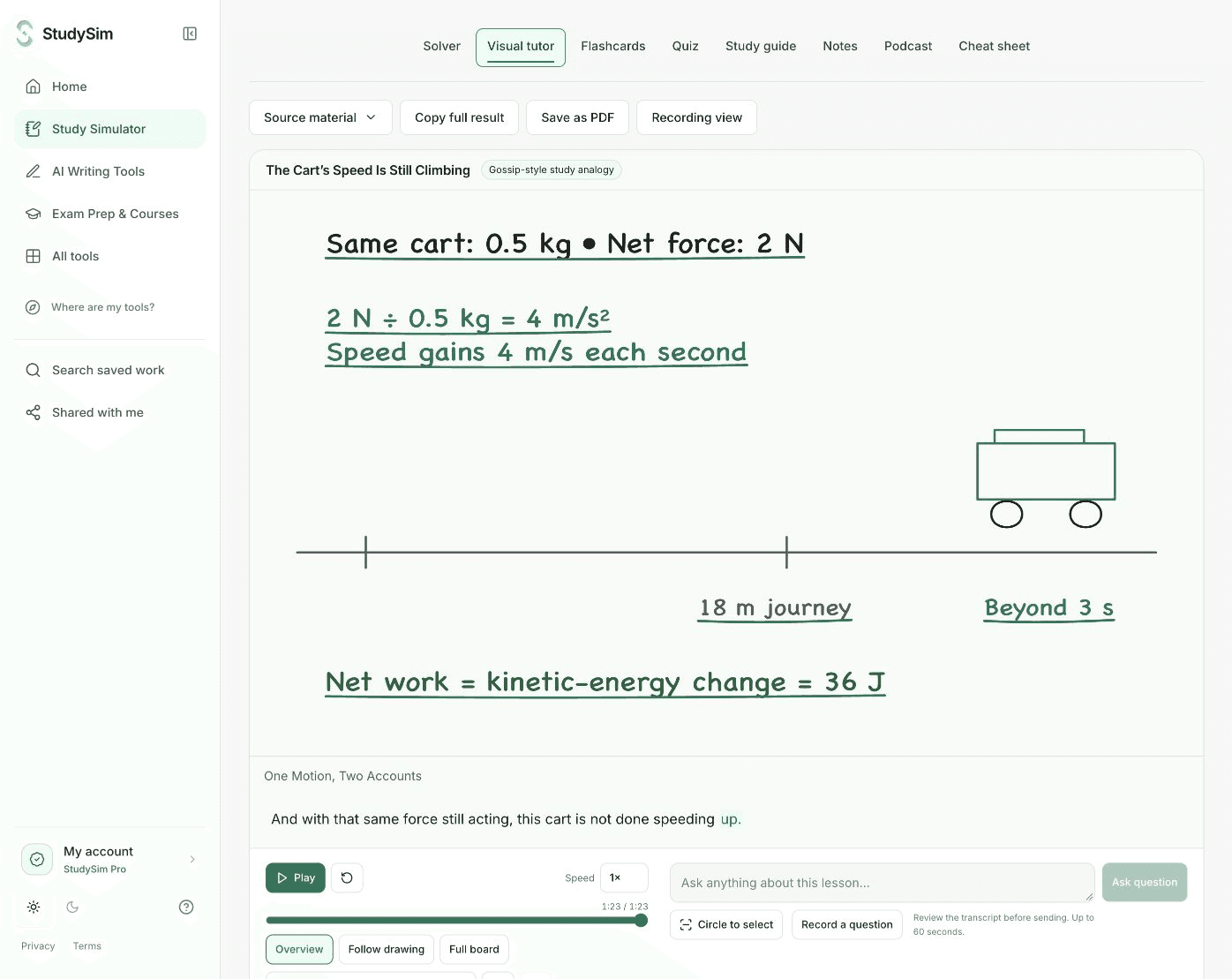
Step 1
Ask about one topic
Ask a question, paste your notes, or upload a document.
Step 2
Follow the lesson
Play, pause, seek, and change the playback speed. Follow the drawing or view the complete board.
Step 3
Check and explore
Answer the checkpoint question, tap parts of the drawing, and ask a follow-up.
Access and saving
Sign in to generate one result per account. More results need StudySim Pro, $1 for your first 3 days.
What to keep in mind
Generation time and visual quality vary by topic. Interactive models appear only where the source supports a defined relationship. This is not a general 3D simulator, a live voice call, or a direct MP4 export service.
Can I ask about something on the board?
Yes. Tap part of the drawing to ask about it. You can also record a voice question, check the transcript, and send it.
Can I save the lesson?
Sign in to save a completed result to an owned course. The saved lesson and its playback remain available through that course.
Is the StudySim AI tutor free?
Sign in to run one lesson. More lessons need StudySim Pro, $1 for your first 3 days. Save your lesson to a course.
What can I give the AI tutor?
A question, a topic or your notes. You can also upload PDF, DOCX, TXT, Markdown or PPTX files up to 3 MB each.
How is it different from a general chatbot?
It explains on an animated visual board with captions, optional narration and a checkpoint question, and you can tap part of the drawing to ask about it.
What are the limits?
A signed-in free account gets one AI result, once. A full Pro subscription includes Unlimited requests across all tools. The $1 trial includes 5 AI actions per day, resetting at midnight UTC.
Can I cancel Pro?
Yes. Cancel from your account at any time. After the first 3 days, your monthly or annual plan starts unless you cancel first.
Choose your next step
Study guide generator
A concise guide and three self-checks
Quiz generator
Five questions with answers and explanations
Flashcard maker
Eight complete question-and-answer cards
Cheat sheet maker
A complete compact reference sheet
Study notes generator
Structured notes and three review prompts
Step-by-step solver
A worked answer with steps
Study podcast generator
A short narrated review and its transcript