Essay planningRead tutorial
Essay planner: shape your ideas and notes into a plan
StudySim's essay planner turns your ideas and source notes into an outline and guiding questions.
Your text
Essay outline
Your essay outline will appear here
Add your ideas and notes to build an essay outline.
Essay planner examples
Explore a prepared example, follow the steps, and try the controls.
Essay planner in StudySim
Find the structure before writing the draft.
An essay outline and source-based drafting prompts for the material you submit.
Explore essay planner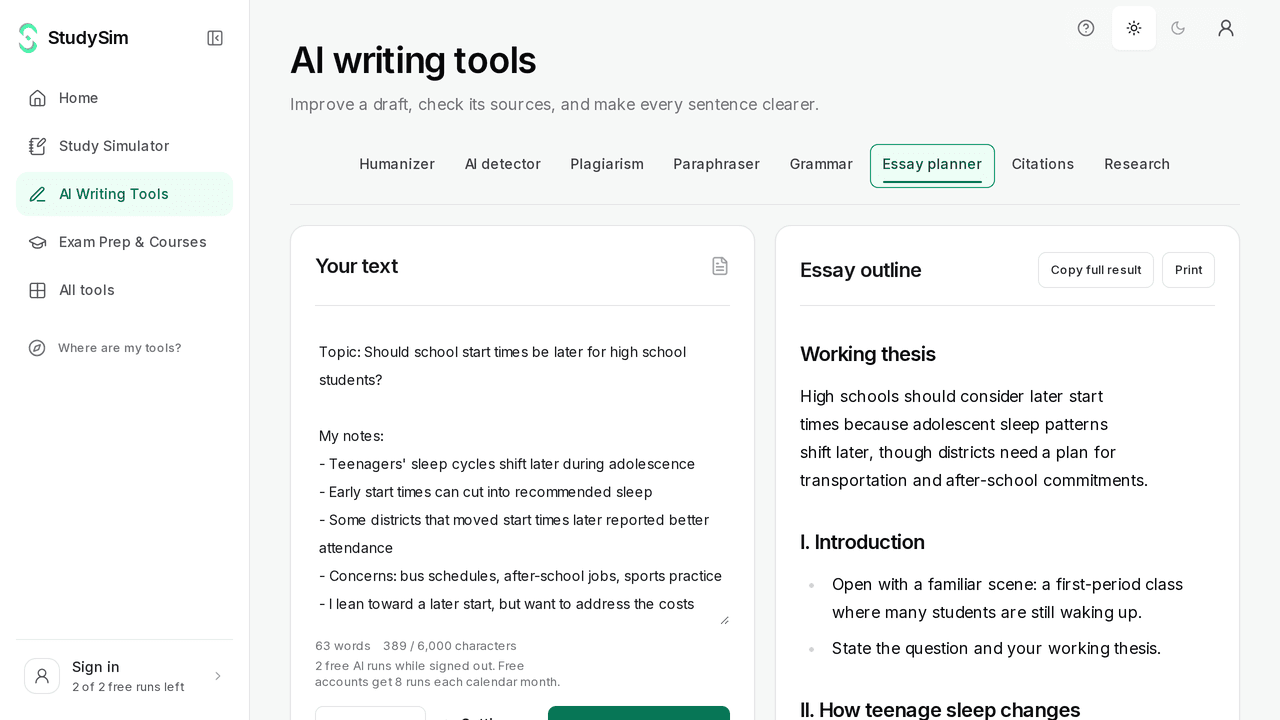
Step 1
Add your topic and notes
Include the assignment’s purpose and the relevant source material you want the plan to use.
Step 2
Create an outline
Read the outline and see how the sections fit together.
Step 3
Develop the argument
Revise the outline, check the evidence, and write the draft in your own process.
Access and saving
Sign in to generate one result per account. More results need StudySim Pro, $1 for your first 3 days. Your draft stays put when you switch tools, and each tool keeps its own result.
What to keep in mind
The planner provides an outline and drafting prompts, not verified original research or a guarantee that the argument meets your assignment requirements.
Will it find sources for every claim?
The planner works with the material you provide. Use the research and citation tools to look up records and review sources separately.
Can I add assignment instructions?
You can add instructions if you like. Check the outline against your assignment.
Choose your next step
Natural writing editor
A full rewrite of up to 300 words
Paraphraser
A complete short paraphrase
Grammar checker
Corrections, explanations and revised text
AI writing detector
An AI-likelihood score with clear caveats
Plagiarism checker
A similarity report with web source matches
Research assistant
A short list of real scholarly sources