GrammarRead tutorial
Free grammar checker: paste text, review each correction
StudySim's free grammar checker suggests fixes, explains each correction and gives you the revised text.
Your text
Revised draft
A fresh version starts here
Add your text on the left, then choose “Check grammar”.
Grammar checker examples
Explore a prepared example, follow the steps, and try the controls.
Grammar checker in StudySim
See the correction and the reason.
A revised draft with correction explanations and suggestions you can review.
Explore grammar checker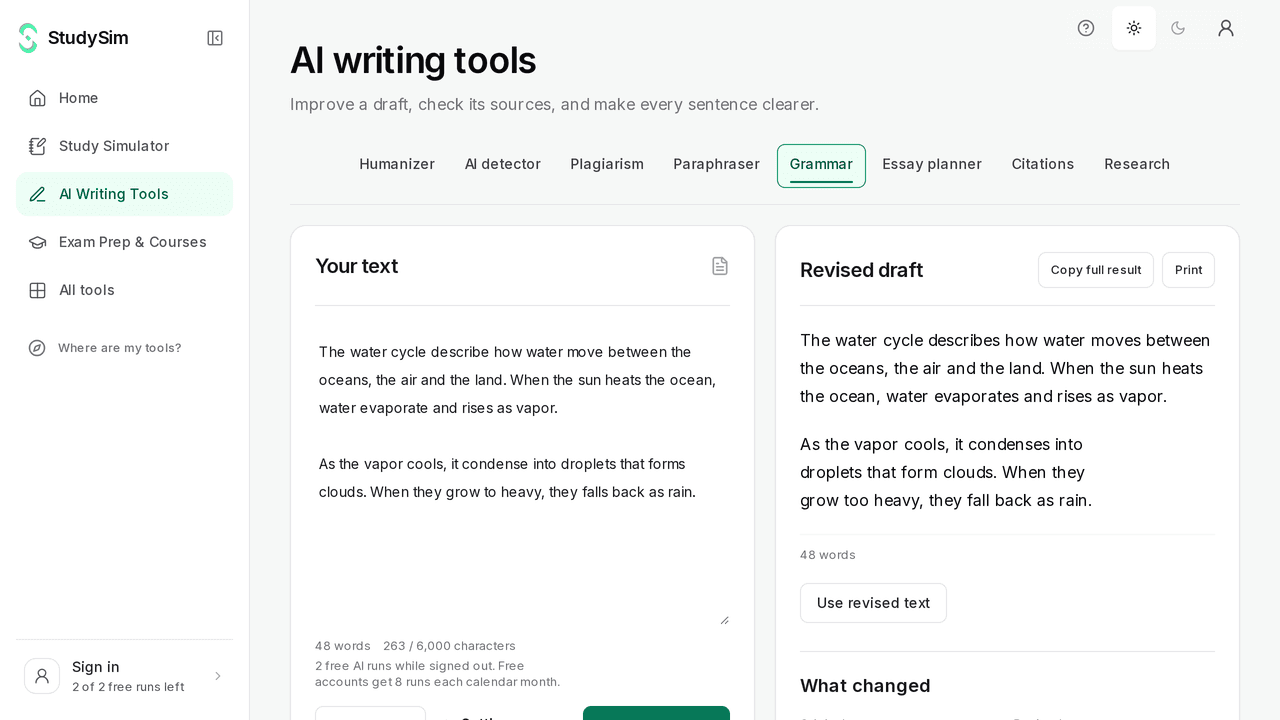
Step 1
Bring the current draft
Paste the text you actually want to review and check its word and character counts.
Step 2
Request grammar review
Choose Grammar and submit the passage when you are ready.
Step 3
Review each suggestion
Read the correction and explanation, then copy or apply a revision you agree with.
Access and saving
Sign in to generate one result per account. More results need StudySim Pro, $1 for your first 3 days. Your draft stays put when you switch tools, and each tool keeps its own result.
What to keep in mind
Suggestions can miss context or alter a meaning. You remain responsible for the final draft, factual details, and required style conventions.
Can I keep my original?
Yes. The source remains in the editor until you choose "Use revised text".
Is there a limit on grammar checks?
Yes. The free checker shares a usage limit with the other AI tools.