AI signalsRead tutorial
AI writing detector: see how likely text is flagged as AI
StudySim's AI writing detector checks how likely your writing is to be flagged as AI and explains what the score means.
Your text
AI writing signals
Your report will appear here
Add your text on the left, then choose “Check writing signals”.
AI writing detector examples
Explore a prepared example, follow the steps, and try the controls.
AI writing detector in StudySim
Review a writing signal with context.
A provider AI-likelihood score, a readable summary, and an explanation of the report’s scope.
Explore ai writing detector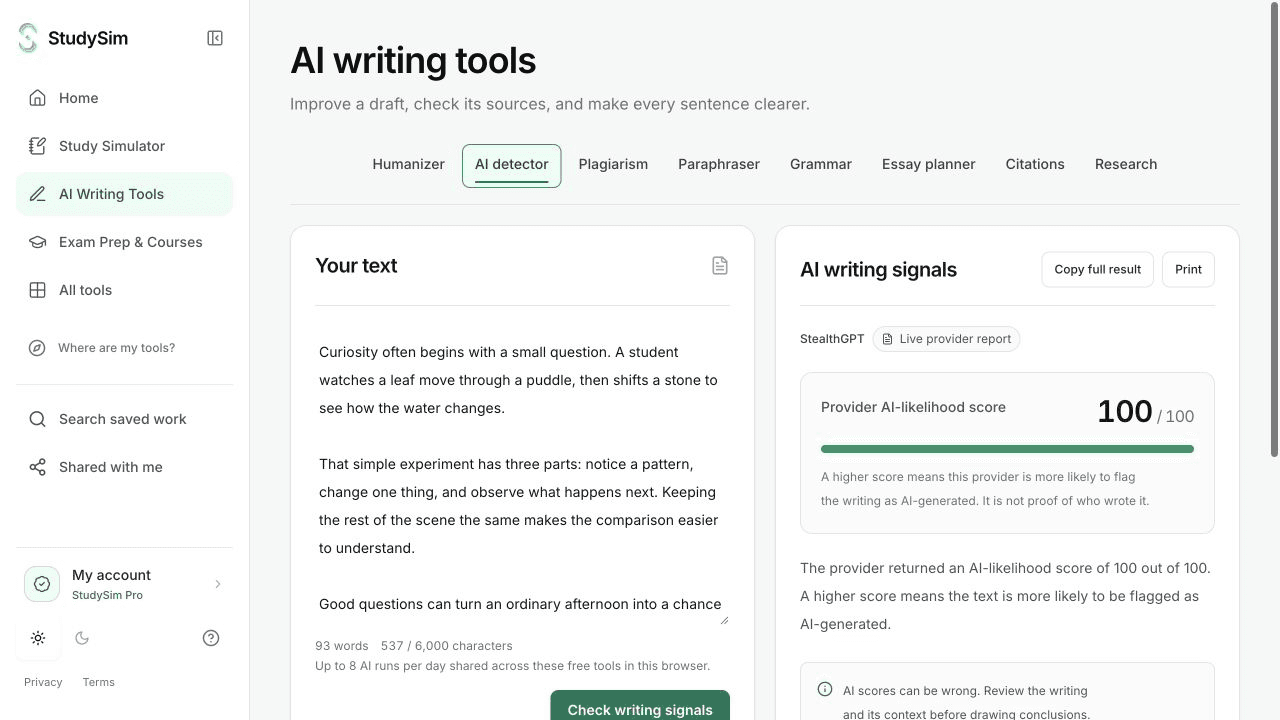
Step 1
Choose the exact passage
Paste the text you want checked. If you just rewrote it, use the revised text before starting the check.
Step 2
Request the report
Select Check writing signals and your report appears.
Step 3
Interpret it carefully
Read the score, summary, and limitations together. Use other evidence and your own review.
Access and saving
Sign in to generate one result per account. More results need StudySim Pro, $1 for your first 3 days. Your draft stays put when you switch tools, and each tool keeps its own result.
What to keep in mind
AI detectors can be wrong. This report cannot prove authorship, copying, or misconduct and should not be the sole basis for an academic or employment decision.
Does 100% prove text was written by AI?
No. It's an estimate, not proof of who wrote it, and it can be wrong either way.
Does a humanized rewrite have to score low?
No. A rewrite does not guarantee a detector score. Make sure you are checking the revised passage rather than the original input.