Source checksRead tutorial
Free plagiarism checker: find passages that need a citation
StudySim's free plagiarism checker compares your draft with web sources and flags passages that may need a citation.
Your text
Source matches
Your report will appear here
Add your text on the left, then choose “Check source similarity”.
Plagiarism checker examples
Explore a prepared example, follow the steps, and try the controls.
Web similarity checker in StudySim
Find web matches worth reviewing.
A web-similarity report with available matching-source metrics, source links, and coverage information.
Explore web similarity checker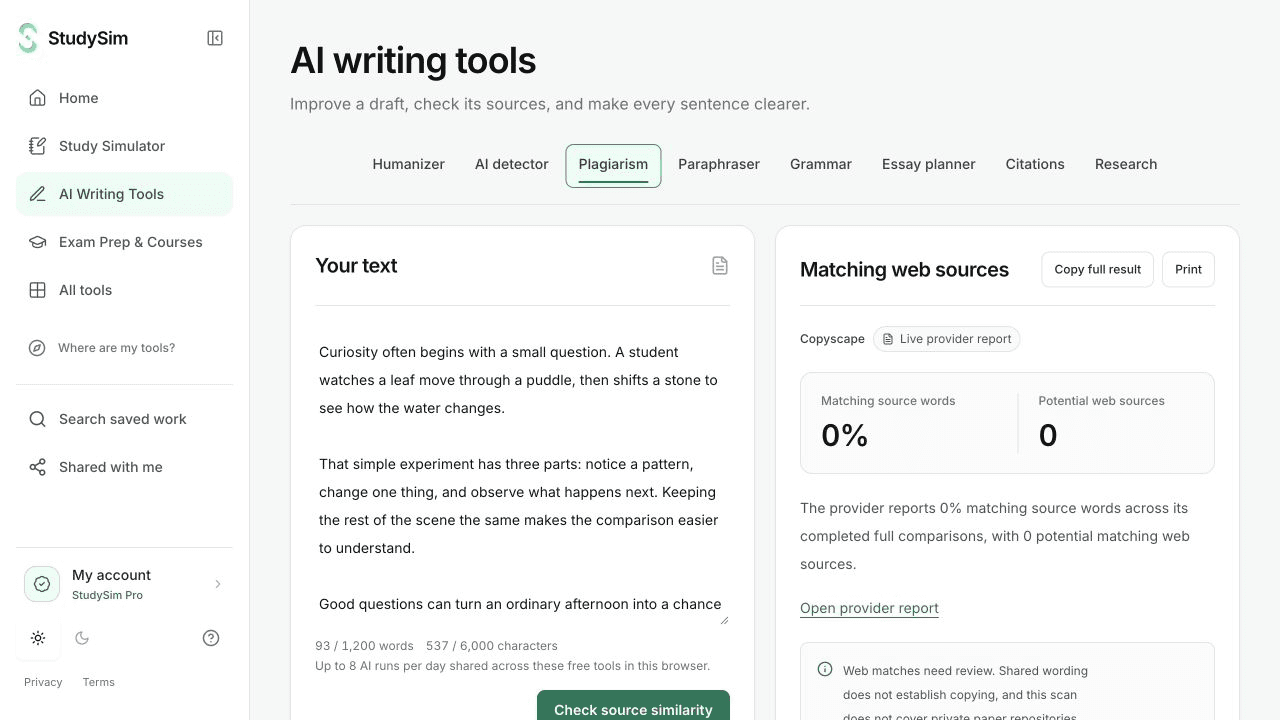
Step 1
Add the passage
Use the text you want to review, within the displayed 1,200-word and 6,000-character bounds.
Step 2
Check the public web
Submit your text and Copyscape checks it against the web.
Step 3
Review each match
Open available source links and check quotation, attribution, and context for yourself.
Access and saving
Sign in to generate one result per account. More results need StudySim Pro, $1 for your first 3 days. Your draft stays put when you switch tools, and each tool keeps its own result.
What to keep in mind
This checks the public web, not Turnitin or a private student-paper repository. Shared wording and legitimate quotations can match. Missing comparison data is unknown, and a match does not establish copying or misconduct.
Is this a Turnitin report?
No. StudySim uses Copyscape to check public web sources. It does not claim access to Turnitin’s private repositories.
What does an unavailable percentage mean?
It means a full-comparison similarity percentage was not available for that result. It does not mean the passage has 0% similarity.
Choose your next step
Natural writing editor
A full rewrite of up to 300 words
Paraphraser
A complete short paraphrase
Grammar checker
Corrections, explanations and revised text
Essay planner
An outline and source-based drafting prompts
AI writing detector
An AI-likelihood score with clear caveats
Citation generator
Source metadata and formatted references