CitationsRead tutorial
Citation generator: build a reference from a DOI or title
StudySim's citation generator finds a publication by DOI or title and builds a reference you can check, edit and copy.
Your text
References
Your references will appear here
Add a publication title or DOI to find its reference.
Citation generator examples
Explore a prepared example, follow the steps, and try the controls.
Citation generator in StudySim
Start the reference with real publication details.
Editable reference drafts built from Crossref publication records, with original-source links when available.
Explore citation generator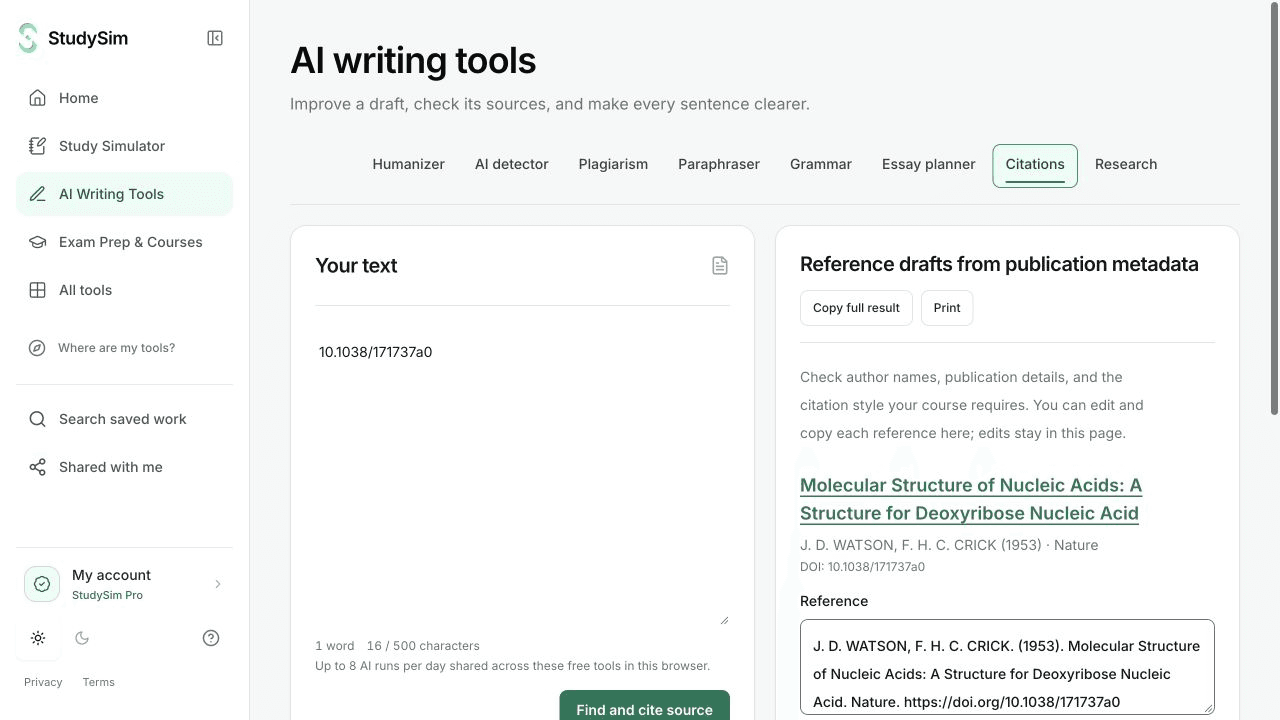
Step 1
Enter a DOI or title
Use a publication identifier or a recognizable publication title rather than pasting an unrelated website URL.
Step 2
Review the returned record
Check the title, authors, year, and available source link against the publication you intended.
Step 3
Finish the reference
Copy the editable draft and check the exact requirements of the citation style you need.
Access and saving
Sign in to generate one result per account. More results need StudySim Pro, $1 for your first 3 days. Your draft stays put when you switch tools, and each tool keeps its own result.
What to keep in mind
References are editable drafts in one fixed format built from Crossref metadata. Metadata can be incomplete, so check each draft against the source and your course's requirements.
Can I paste any URL?
The tool is built for a DOI or publication title. General website URLs that are not a DOI are not treated as verified publication identifiers.
Should I check the citation before using it?
Yes. Verify the publication and follow your required style’s rules for the final reference.